Hollis & Daughter Plumbing
Plumbing app · built by the Vibecode team
Hollis & Daughter is a fictional plumbing company in Woodbury and St. Paul, Minnesota. A looping video of a plumber at work leads the home page. Visitors pick their problem, check their ZIP, choose a morning or afternoon window with live spots left, and can add a photo of the leak; upfront prices, an emergency strip, seasonal offers, financing and a two-tier home plan sit on the same site. The owner gets a dispatch board with a row per plumber, estimates built from a price book with up to three options that customers approve and sign online, and customers with their water heater and other fixtures on file. Plumbers sign in on their phone with a PIN, move each job through On my way, Arrived and Job done, and add before and after photos. Every photo, review and plumber is a labelled sample, and the demo dates move forward each day.
- Web app
- Built in 7 prompts
- Free to remix
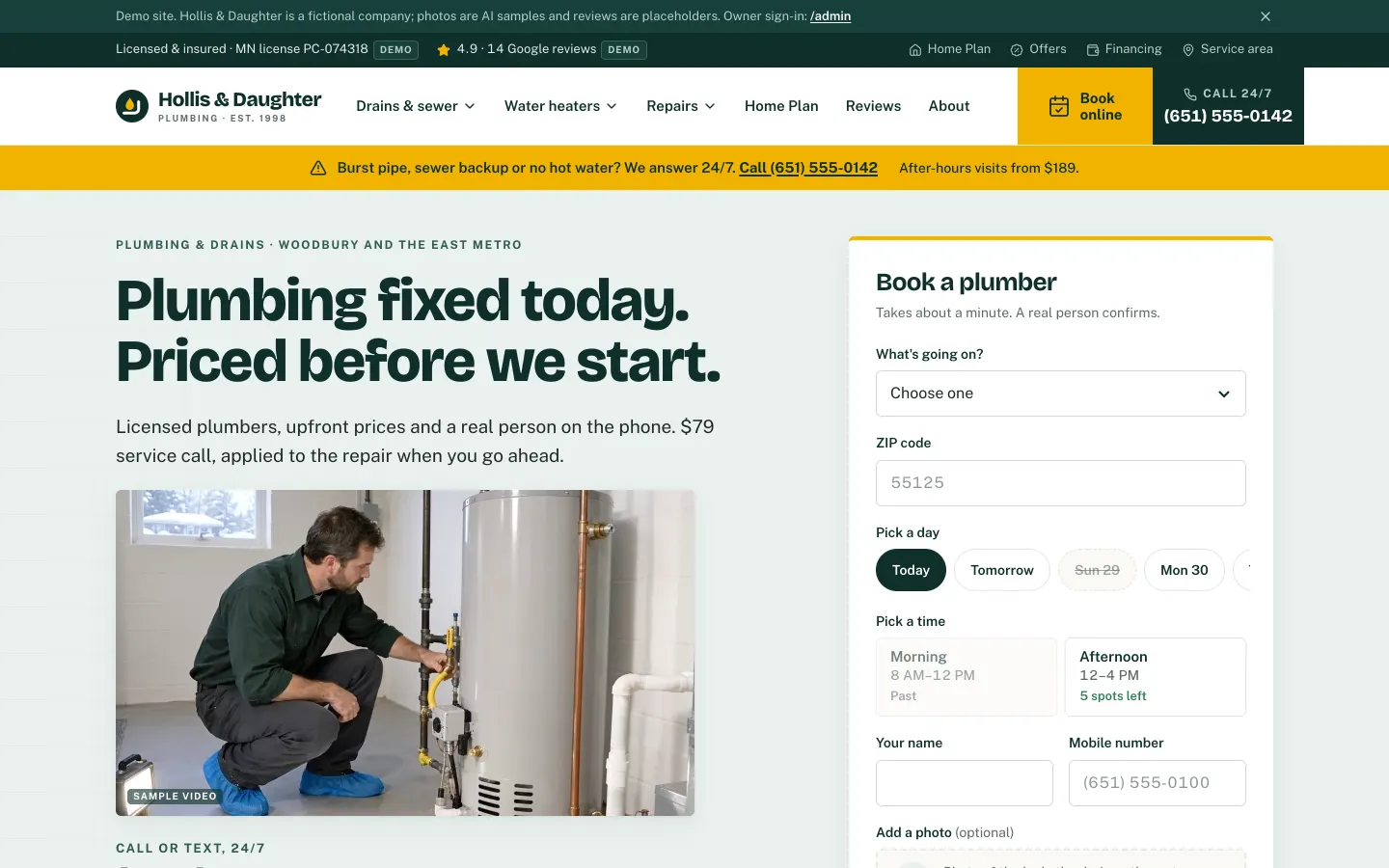
Remix copies the working app into your account for free, exactly as we built it. It runs in your browser.
The prompt that builds it
We built Hollis & Daughter Plumbing in 7 prompts. Here they are folded into one, so a single paste into a new app builds the finished version.
Prompt · 11,936 words
Build "Hollis & Daughter Plumbing": a complete booking website plus owner admin, dispatch board, estimates and customer CRM for a small local plumbing company. The demo business is Hollis & Daughter Plumbing, a fictional plumbing and drain company based in Woodbury, Minnesota, covering St. Paul and the Twin Cities east metro (long, hard winters: frozen pipes, water heaters working overtime). It is made for plumbing owners with 1 to 15 plumbers who live on emergency calls and Google. Their visitor has a leak, a clog or no hot water right now, or wants a quote for a water heater or a repipe: they need to know fast whether you cover their ZIP, what it costs to come out, and how to get a plumber there. The owner wants the call or the booking, upfront prices that build trust, estimates customers approve online, and one screen that shows who is going where today.

It must look like a polished, designed local business, not an AI template: no purple or blue gradients, no emoji, no glassmorphism, no default shadcn look, real typography, one accent colour (signal yellow).

Honesty rules (these matter to real contractors): the business, people, photos and reviews are fictional and are labelled as demo or sample in the UI as described below. Never invent stats ("10,000 happy customers", "#1 rated"). Any business fact left empty in admin hides its UI instead of showing a placeholder. Site copy is plain, local and calm, with short sentences and no em dashes.

## Reference screenshots (look at them first)

First download every reference screenshot with curl into refs/ in the workspace and look at each one before writing code. Borrow patterns only, never another company's name, logo, mascot or colours:
1. https://webtpl-plumber-company-site-refs.beacon.host/01-header-schedule-call-hero.jpg : a plumbing company's header. On the right, two solid full-height blocks side by side: "Schedule online" and "Call today" with the phone number under it. Under the hero, four big square problem tiles with line icons, and a request-service form card on the right. Our header's right side copies the two blocks; our quick-pick problem tiles copy the square tiles.
2. https://webtpl-plumber-company-site-refs.beacon.host/02-why-us-upfront-pricing-icons.jpg : five "why us" items in a row, each a round outlined icon, a short uppercase title (one is "Upfront pricing") and two lines. Our "Why us" row, in sentence case and calmer.
3. https://webtpl-plumber-company-site-refs.beacon.host/03-big-phone-zip-finder-strip.jpg : a hero with "Call us now", a huge phone number and a ZIP finder input with an arrow button, and a full-width coloured announcement strip at the bottom of the hero. Our hero's big phone line and our emergency strip borrow this.
4. https://webtpl-plumber-company-site-refs.beacon.host/04-services-two-column-list.jpg : a "Plumbing services" panel: a two-column list of services with small round icons and hairline dividers, a photo filling the right side. Our phone services list and the service dropdown use this pattern.
5. https://webtpl-plumber-company-site-refs.beacon.host/05-what-to-expect-three-steps.jpg : "What to expect" in three numbered steps joined by arrows. Our "What happens next" section.
6. https://webtpl-plumber-company-site-refs.beacon.host/06-member-plan-block.jpg : a member plan block: photo left, title, annual fee, two short paragraphs and a checklist of perks. Our Home Plan teaser.
7. https://webtpl-plumber-company-site-refs.beacon.host/07-google-reviews-cards.jpg : Google review cards with an initial avatar, name, stars, relative date and text. Our review cards.
8. https://webtpl-plumber-company-site-refs.beacon.host/08-dispatch-board.jpg : ServiceTitan's dispatch board: a row per technician (avatar, name, status dot) and a time axis across the top, job blocks placed on the timeline, coloured by type, with the customer and street. Our /admin dispatch board copies this layout.
9. https://webtpl-plumber-company-site-refs.beacon.host/09-admin-workflow-cards.jpg : Jobber's home: workflow cards with coloured top borders and big counts. Our admin Today cards.
10. https://webtpl-plumber-company-site-refs.beacon.host/10-admin-customer-detail.jpg : Jobber's client detail: name with a badge, action buttons, contact column, notes. Our customer detail layout.
11. https://webtpl-plumber-company-site-refs.beacon.host/11-google-reviews-panel.jpg : a Google Business Profile reviews panel: big average, 5-to-1 bar histogram, topic chips. Our reviews summary.
12. https://webtpl-plumber-company-site-refs.beacon.host/12-quote-options-signature.jpg : a contractor quote document with line items, optional items with checkboxes, totals and a signature line. Our customer estimate page /e/:token.

If an image Read comes back empty, shrink it to 720px wide with ffmpeg and read it again; don't stall on it.

## Stack and ground rules

- Use this workspace's stack: React + Vite + Tailwind + React Router + React Query + Framer Motion + lucide-react in webapp/, Hono on Bun in backend/. Use the database-auth skill for Prisma (SQLite) and Better Auth, the upload-assets skill for Vibecode Storage, and the vibecode-apis skill for image generation and Resend email. Shared Zod contracts in backend/src/types.ts.
- The public site is never behind a password. Only /admin (owner) and /tech (plumber PIN) are. The customer estimate page /e/:token is public but only reachable with its unguessable token.
- Seed realistic demo data automatically on backend start when the database is empty (so fresh copies work), including the owner account.
- Remixes get a copy of backend/.env with BETTER_AUTH_SECRET cleared, and the standard env check would then stop the backend at boot. Add backend/src/lib/authSecret.ts exactly as below and call ensureAuthSecret() in backend/src/env.ts before the environment is validated (keep the validation):

```ts
import { randomBytes } from "node:crypto";
import { existsSync, readFileSync, writeFileSync } from "node:fs";
import { join } from "node:path";

const LINE = /^[ \t]*(?:export[ \t]+)?BETTER_AUTH_SECRET[ \t]*=(.*)$/gm;

/** Remixes get a copy of .env with this value cleared, so a fresh copy generates and saves its own secret on first start. */
export function ensureAuthSecret(envPath = join(import.meta.dir, "..", "..", ".env")) {
  if (process.env.BETTER_AUTH_SECRET?.trim()) return;
  const secret = randomBytes(32).toString("base64");
  const line = `BETTER_AUTH_SECRET=${secret}`;
  try {
    const text = existsSync(envPath) ? readFileSync(envPath, "utf8") : "";
    // Bun only loads the .env in the working directory, so a saved secret can exist without being in process.env.
    const saved = [...text.matchAll(LINE)].map((m) => m[1]!.trim().replace(/^(["'])(.*)\1$/, "$2")).filter(Boolean).pop();
    if (saved) { process.env.BETTER_AUTH_SECRET = saved; return; }
    writeFileSync(envPath, text.match(LINE) ? text.replace(LINE, () => line) : `${text}${text && !text.endsWith("\n") ? "\n" : ""}${line}\n`);
  } catch (e) {
    console.warn("Couldn't save BETTER_AUTH_SECRET to .env; logins will reset when the server restarts", e);
  }
  process.env.BETTER_AUTH_SECRET = secret;
  console.log("Generated a new BETTER_AUTH_SECRET");
}
```

- Owner sign-in is email + password. Seeded owner: email `owner@hollisplumbing.example`, password `Hollis-2026`. Show these on the /admin sign-in page in a card titled "Demo owner login" with a "Use demo login" button that fills both fields, until the owner changes the password in Settings. Disable public sign-up on the server (only the seeded owner exists). Every /api/admin/* route checks the session on the server.
- Never store a visitor's IP address or user agent: blank ipAddress and userAgent whenever a Better Auth session is created or updated (databaseHooks.session create/update before hooks). Keep rate limiting as it is.
- Replace the template's favicon.ico, og image, title and meta. No Vibecode branding anywhere: favicon, title, share image, footer, meta generator.

## The database ships with the project (important)

Before the platform recycles an idle sandbox it saves the workspace with `git add --all`, and a remix copies only what is in git. So:
- Track the database: no .gitignore rule may match backend/prisma/dev.db (or dev.db-wal/-shm/-journal, or *.db). dev.db is committed. Seed an empty or missing database; never delete or re-seed a database that already has rows.
- Keep the demo current without re-seeding: store the calendar day the demo was seeded (a DemoState row: seededDay in America/Chicago). At backend startup, before the server answers, and then once an hour: if whole calendar days have passed since that day, move every seeded demo timestamp forward by that many days (created, updated, scheduled job start/end, status times, plan start/renewal, offer start/expiry, estimate sent/viewed/approved/valid-until, review dates, review request times, events, notes, photo dates) and save the new day. Shift only rows the seed created (an isDemo flag), never rows a user created or edited. Then the dispatch board always shows a full "today", renewals stay "in 12 days", offers and estimates stay current, and "Last booking: 2 hours ago" stays true.
- Dates use the business timezone (America/Chicago) everywhere, server and client, so a job at 8 AM is 8 AM for the owner wherever the server runs.

## Look and feel: "Spruce & Signal"

- Colours (CSS variables, used through Tailwind tokens):
  - spruce `#0F2F2B` (headings, dark sections, footer, secondary solid buttons), spruce-800 `#17403A` (cards on dark), spruce-600 `#2F5A53` (icons, links)
  - signal `#F2B300` (the one accent: primary buttons with spruce text, the emergency strip, stars, active chips, the underline marker under prices), signal-700 `#8A6500` (accent-coloured small text on white, for contrast), signal-50 `#FFF6D9` (offer cards and selected states)
  - mist `#EAF1EE` (alternate light sections), mist-300 `#B7CEC6` (hairlines and small labels on spruce)
  - paper `#FAF9F5` (page background), white (cards), body text `#1F2A28`, muted `#5C6B67`, line `#E1E6E3`
  - success `#2E7D4F`, warning `#B7791F`, error `#B42318`
  - Never put yellow text on white or light backgrounds. Yellow is a fill; text on it is spruce.
- Type: "Bricolage Grotesque" (Google Fonts, 600/700/800) for headings in sentence case with letter-spacing -0.025em; "Public Sans" (400/500/600/700) for body and UI. H1 62px/1.02 desktop, 38px phone. H2 42px/1.08 desktop, 30px phone. H3 22px. Eyebrows: Public Sans 700 12px uppercase, letter-spacing .14em, spruce-600 on light, mist-300 on spruce. Body 17px/1.6 desktop, 16px phone. Prices and times use tabular numbers. Every H1 and H2 uses `text-wrap: balance`, and every displayed phone number, license number and price stays on one line (white-space: nowrap), admin included. Sizes like "40‑gal" and "50‑gal" use a non-breaking hyphen (U+2011) in seeded titles, option names, line items and price book names so they never break across lines.
- Corners: 6px radius on cards, inputs and buttons (squarer and more workmanlike than a SaaS look); chips are pill-shaped; avatars and map pins round. Shadows only as a soft `0 1px 2px rgb(15 47 43 / .06), 0 8px 24px rgb(15 47 43 / .07)` on raised cards; otherwise 1px line borders. Cards lift 2px on hover.
- Buttons: primary = signal background, spruce text, Public Sans 700 16px, height 50px (40px small), padding 0 22px, hover darkens to `#DDA300`. Dark = spruce background, white text. Secondary = white with a 1px line border and spruce text (on spruce: transparent with a mist-300 border and white text).
- Spacing scale 4/8/12/16/24/32/48/64/96. Sections 96px vertical padding desktop, 64px phone. Container 1200px max, 32px side padding desktop, 20px phone.
- Icons: lucide-react at 1.75 stroke. Check each icon name exists in the installed lucide-react before using it (good ones: Droplets, Droplet, Waves, Flame, Wrench, ShowerHead, Bath, Toilet, Cog, ArrowDownToLine, Video, Pipette, Home, ShieldCheck, BadgeCheck, Clock, Phone, MessageSquare, CalendarCheck, Snowflake, ClipboardCheck, Camera, FileSignature). Service icons sit in 40px round mist circles with a spruce icon. No emoji anywhere.
- Logo: an inline SVG React component: a 34px circle in spruce holding a signal-yellow water drop sitting on a white pipe elbow line, then "Hollis & Daughter" in Bricolage Grotesque 800 21px spruce with "PLUMBING · EST. 1998" under it in Public Sans 700 9px letter-spacing .2em muted. Same mark for the favicon (SVG plus 32px PNG and 180px apple-touch icon).

## Business facts (one source of truth)

Stored once in the Business table and used everywhere (header, strip, footer, forms, FAQ answers, schema, llms.txt):
- Name: Hollis & Daughter Plumbing. Base: Woodbury, MN 55125 (no street address shown anywhere). Area: St. Paul and the east metro.
- Phone and text: (651) 555-0142 → `tel:+16515550142`, `sms:+16515550142`, WhatsApp `https://wa.me/16515550142`. Email: service@hollisplumbing.example
- Minnesota plumbing contractor license (demo) PC-074318. Bonded and insured: "$2M general liability, bonded". Master plumber on every job's paperwork. In business since 1998. Owner Maren Hollis (took over from her dad, Ray, in 2017).
- Hours: office Mon–Fri 7:00 AM–6:00 PM, Sat 8:00 AM–2:00 PM, Sun closed. Emergency line 24/7 (a flag on the business: emergencyService true). Timezone America/Chicago, USD, en-US.
- Service call: $79, "applied to the repair when you go ahead". Home Plan members: $0 service call. After-hours emergency visits from $189.
- Guarantee: "1-year leak-free guarantee: if a repair we made leaks within a year, we come back and fix it free."
- Google review link (demo): `https://www.google.com/maps/search/?api=1&query=Hollis+%26+Daughter+Plumbing+Woodbury+MN`. Instagram and Facebook placeholders. GTM ID and Google Ads IDs empty. Financing link (demo): `https://example.com/financing` with the owner-editable label "Apply for financing".
- Service area (town, ZIP, lat, lng): Woodbury 55125 44.9239,-92.9594 · Woodbury 55129 44.8992,-92.9233 · Oakdale 55128 44.9919,-92.9649 · Maplewood 55109 45.0153,-93.0254 · Lake Elmo 55042 44.9958,-92.8794 · Stillwater 55082 45.0564,-92.8060 · Cottage Grove 55016 44.8277,-92.9438 · Newport 55055 44.8733,-92.9988 · Afton 55001 44.9027,-92.7835 · White Bear Lake 55110 45.0847,-93.0099 · Mahtomedi 55115 45.0697,-92.9516 · Roseville 55113 45.0061,-93.1566 · St. Paul (Mac-Groveland) 55105 44.9347,-93.1650 · St. Paul (Highland Park) 55116 44.9133,-93.1700 · South St. Paul 55075 44.8930,-93.0350
- Phone numbers display as "(651) 555-0142". Dates are always human-readable: "Today, 9:42 AM", "Yesterday", "Tue, Nov 25", "Nov 25, 2025". Reviews use Google-style relative dates ("3 weeks ago") with the exact date in a tooltip. Booking windows read "Morning, 8 AM–12 PM" and "Afternoon, 12–4 PM".

## Demo labelling

- Business.demoMode is on by default. While on: a slim dismissible bar above everything (spruce-800, mist-300 text 13px, X button, dismissal remembered in localStorage): "Demo site. Hollis & Daughter is a fictional company; photos are AI samples and reviews are placeholders. Owner sign-in: /admin" (the /admin part is a link).
- Every seeded image shows a small chip in its bottom-left corner: "Sample photo" (Public Sans 700 10px uppercase, letter-spacing .1em, white on rgb(15 47 43 / .62), 4px radius). Each image row has an isSample flag; images the owner or a plumber uploads have it off. Below 160px of image width the chip shortens to "Sample" (9px).
- Every seeded review shows a small "Demo review" tag; every seeded plumber profile a "Sample profile" tag; the license number shows a tiny "Demo" tag. The footer says "Demo content: business details, photos, plumbers and reviews are placeholders." while demoMode is on.

## Public site, home page top to bottom

1. **Utility row** (spruce, 36px, 13px white/mist-300; desktop only): left "Licensed & insured · MN license PC-074318" and a small rating "★ 4.9 · 14 Google reviews" (computed from reviews; links to #reviews; tiny "Demo" tag while reviews are demo); right links with small icons: Home Plan (/plans), Offers (#offers), Financing (#financing), Service area (#area). Scrolls away.
2. **Sticky header** (white, 80px, 1px bottom line, soft shadow after 8px of scroll): logo left; nav (Public Sans 600 15px spruce): Drains & sewer, Water heaters, Repairs, Home Plan, Reviews, About. The three service items open small dropdown panels laid out like ref 4 (two-column list, round icon per service, hairline dividers). Right, ref 1's pattern: two solid blocks the full header height, side by side, no gap: a signal block "Book online" (CalendarCheck icon, Public Sans 700 15px spruce, two lines "Book / online" stacked on desktop) that scrolls to #book, and a spruce block "Call 24/7" with "(651) 555-0142" under it in Bricolage 700 18px white (tel:). Each block about 140px wide.
3. **Emergency strip** (ref 3; under the header, full width, signal background, 46px; shown only when the owner's emergency switch is on): spruce AlertTriangle icon, spruce 600 text "Burst pipe, sewer backup or no hot water? We answer 24/7.", an underlined spruce link "Call (651) 555-0142" (tel:) and on desktop a note "After-hours visits from $189." The owner edits the text and switches it off in admin; when off it disappears everywhere.
4. **Hero** (plain mist background, about 48px top padding at 1440): left 7/12: eyebrow "Plumbing & drains · Woodbury and the east metro"; H1 "Plumbing fixed today. Priced before we start."; subline "Licensed plumbers, upfront prices and a real person on the phone. $79 service call, applied to the repair when you go ahead."; then the **hero video** (see "Hero video" below) in a framed 16:9 box, full left-column width up to 600px, 6px radius, the soft raised shadow and a "Sample video" chip bottom-left, so at 1440x900 and 1280x800 the whole video is above the fold; then, ref 3, a big phone line: small label "Call or text, 24/7" over "(651) 555-0142" in Bricolage 800 40px spruce (tel:), with a small "Text us" link; then three check lines with signal-filled round check icons: "Same-day plumbers, 7 days a week", "The price in writing before any work starts", "1-year leak-free guarantee on repairs" (one row of three when they fit). Right 5/12, top-aligned with the eyebrow: the white booking card "Book a plumber" (id "book", 440px, 28px padding, signal 4px top border, raised shadow):
   - "What's going on?" select: Clogged drain, Leak or drip, No hot water, Water heater replacement, Toilet problem, Garbage disposal, Sump pump, "Sewer backup (urgent)", "Burst pipe or flooding (urgent)", Repipe or remodel quote, Something else.
   - "ZIP code" (5 digits): checks the service area live and shows success-green "We cover Oakdale 55128" with a check icon, or muted "Outside our usual area. Book anyway and we'll call you."
   - "Pick a day": a row of 7 day pills (scrollable on phone) starting today ("Today", "Tomorrow", then "Sat 29"), Sundays disabled except for urgent problems.
   - "Pick a time": two option cards "Morning · 8 AM–12 PM" and "Afternoon · 12–4 PM", each with a small availability line ("3 spots left", "1 spot left", "Full", or "Past" for today's morning after 11 AM). Under 520px card width the label stacks inside each card: "Morning" (600) on the first line, "8 AM–12 PM" on the second, then the spots line, so nothing is cut off at 390px. Capacity is 2 jobs per plumber per window, minus jobs already booked; full windows can't be picked. Choosing an urgent problem (sewer backup, burst pipe) adds a signal-50 note "Water coming in? Shut off the main valve, then call: (651) 555-0142" and lets them pick "As soon as possible" instead of a window.
   - "Your name", "Mobile number" (auto-formats as you type).
   - "Add a photo (optional)": a dashed drop zone "Photo of the leak, the drain or the water heater label helps" that takes up to 3 photos with thumbnails and a remove X. Photos upload only after the booking is saved (see Functions).
   - Button "Book my plumber" full width. Microcopy: "No charge to book. You get an upfront price before any work starts."
   - Submits a booking (source "hero") and goes to /booked.
5. **Quick-pick problem tiles** (ref 1; white, a row of 4 square tiles overlapping the bottom edge of the hero by 40px on desktop, 2×2 on phone): spruce tiles with a 36px white line icon and a label: "Clogged drain" (Waves), "Leak or drip" (Droplets), "No hot water" (Flame), "Sewer backup" (ArrowDownToLine). Hover: signal bottom border 4px. Clicking a tile selects that problem in the booking card and scrolls to #book.
6. **Why us** (white, ref 2): five items in a row (2-2-1 on phone), each a 56px round mist icon, a Bricolage 19px title and two short lines: "Upfront pricing" ("The price in writing before we start. No surprise fees."), "Same-day plumbers" ("Most calls before 10 AM get a plumber the same day."), "Licensed master plumber" ("Every job is under our master license, PC-074318."), "Clean-home promise" ("Shoe covers, drop cloths, and we haul the old parts away."), "Leak-free guarantee" ("If our repair leaks within a year, we fix it free."). Then a trust strip below with 1px separators: "Licensed · PC-074318", "Insured · $2M, bonded", "Since · 1998", "Google rating · 4.9 ★ (14)". Each hides when its field is empty.
7. **Services** (paper, id "services"): eyebrow "Services and prices", H2 "Upfront prices, before we pick up a wrench", sub "Every visit starts with a $79 service call, applied to the repair when you go ahead. You approve the price first." A 3×3 grid of service cards: photo strip on top (16:9, Sample chip), 40px mist circle icon, name (Bricolage 22px), one line, a price line in spruce Bricolage 20px with a 6px signal underline marker under the number and small muted unit text, and links "Book this" (scrolls to #book with that problem selected) and "Details →" (/services/<slug>):
   - Drain cleaning (`drain-cleaning`, Waves): "Kitchen sinks, tubs, showers and floor drains, cleared and tested." Sink or tub from $149 · Main line from $289.
   - Leak repair (`leak-repair`, Droplets): "Dripping shutoffs, leaking supply lines and pinhole leaks in copper." From $175.
   - Water heater repair (`water-heater-repair`, Flame): "No hot water, pilot that won't stay lit, leaking tank or a pressure valve that drips." From $189.
   - Water heater install (`water-heater-install`, Flame or ShowerHead): "Tank or tankless, sized to your house, permit pulled and old unit hauled away." Tank from $1,895 · Tankless from $4,200.
   - Toilet repair (`toilet-repair`, Bath or Toilet): "Running, rocking, clogging or leaking at the base." Repair from $139 · New toilet set from $425 plus the toilet.
   - Garbage disposal (`garbage-disposal`, Cog): "Hums but won't spin, leaks underneath or just gave up." Repair from $139 · Installed from $345.
   - Sump pump (`sump-pump`, ArrowDownToLine): "Test, repair or replace before the spring melt. Battery backups too." Repair from $189 · New pump from $695.
   - Sewer camera inspection (`sewer-camera-inspection`, Video): "See inside your main line: roots, bellies and breaks, with the video to keep." $249 · Free with a main line cleaning.
   - Repiping quote (`repiping`, Home): "Galvanized or failing copper replaced with PEX, wall by wall, with patching." Free in-home estimate.
   Under the grid: "Prices are starting points. You get the exact price in writing before work starts."
8. **What happens next** (mist, ref 5): H2 "What happens when you book", three numbered steps joined by thin arrows (stacked on phone): "1. We confirm your window" ("We text to confirm the day and your two-hour arrival window."), "2. Your plumber texts on the way" ("With their name and photo, so you know who's at the door."), "3. Price first, then the fix" ("You approve the written price. Then we fix it and clean up.").
9. **Seasonal offers** (white, id "offers"): eyebrow "Offers", H2 "This season's offers". Up to 3 offer cards from the Offer table (signal-50 background, 1px signal border, 6px radius): a small spruce tag ("Winter"), title in Bricolage 24px, description, terms in 13px muted, an expiry line "Ends Sun, Dec 7" (computed; expired offers hide automatically), and "Book with this offer" (scrolls to #book and adds the offer code to the booking). Seed (dates relative to seed day, they shift with the demo): "Winter pipe-freeze check for $49" (reg. $129, ends in 12 days, code FREEZE49: "We check exposed pipes, hose bibs and the crawl space, and insulate what's at risk."), "$150 off a tankless water heater" (ends in 40 days, code TANKLESS150, "Cannot be combined with other offers."), "Free second opinion on a repipe or sewer quote" (no end date, code SECOND: "Been quoted a big job? We'll take a look before you sign.").
10. **Home Plan teaser** (paper, ref 6): left: photo of a plumber flushing a water heater in a basement (Sample chip); right: eyebrow "Hollis Home Plan", H2 "One visit a year that heads off the 2 AM call.", a short paragraph "Most plumbing emergencies start small. Once a year we inspect the whole house, flush the water heater and fix the little things before they flood the basement.", price "From $12 a month" with the signal marker, a checklist with signal round checks: "Yearly whole-home inspection", "Water heater flush", "$0 service call and priority scheduling", "10–15% off repairs", buttons "See plans" (/plans) and "Join the plan" (/plans#join).
11. **Financing** (spruce section, id "financing"): eyebrow "Financing", H2 "New water heater now, monthly payments", text "Water heaters, sewer lines and repipes can be paid monthly through our lending partner. Subject to credit approval. Terms depend on the lender.", a small example line in mist-300 ("Example only: a $4,200 tankless install over 48 months"), the signal button with the owner's label "Apply for financing ↗" (opens the owner's financing link in a new tab; hidden when the link is empty), and a secondary "Ask us about financing" (scrolls to #book with "Water heater replacement"). Never name a real lender or promise a rate.
12. **Service area** (white, id "area"): left (5/12): H2 "Where we work", "Based in Woodbury. We cover St. Paul and these east metro ZIP codes.", a "Check your ZIP" input + arrow button (ref 3 style; same coverage result as the hero), then the towns and ZIPs in two columns (check icon, town, ZIP muted). Right (7/12): a Leaflet map (480px tall, 6px radius, 1px line border) with OpenStreetMap tiles `https://tile.openstreetmap.org/{z}/{x}/{y}.png` and the OSM attribution, greyed slightly with a CSS filter; each ZIP is a spruce circle (radius 2,200 m, 16% fill, 1.5px stroke) with a small ZIP label; the base (Woodbury) gets a round signal marker with the logo drop. zoomSnap 0.25, zoomDelta 0.5, fitBounds to all circles with 24px padding after invalidateSize; scroll-zoom off until the map is clicked; `.leaflet-container img.leaflet-tile { mix-blend-mode: plus-lighter; }` to hide tile seams. Checking a ZIP that is covered pans to and pulses its circle. The map must render on phones: explicit height, invalidateSize() after mount and on resize.
13. **Plumbers** (mist section, id "team"): eyebrow "Our plumbers", H2 "The people who'll come to your door", 5 cards in a row on desktop (horizontal scroll with snap on phone): photo (4:5, Sample photo chip, rounded), name, role, years ("26 years in plumbing"), licence chips ("Master plumber", "Journeyworker", "Apprentice", "Backflow certified"), one line in their words, and the "Sample profile" tag. Each card says on hover "Usually works: Oakdale, Maplewood".
14. **Reviews** (white, id "reviews"), ref 11 summary + ref 7 cards: left: "4.9" in Bricolage 64px, five signal stars, "14 reviews", a 5-to-1 histogram with signal bars, a signal "Leave us a review" button (/review) and "See us on Google ↗" (hidden when the link is empty), topic chips with counts ("on time 6", "upfront price 6", "clean work 5", "explained everything 5", "same day 4", "water heater 4", "drains 5"). Right: a 2-column grid of six review cards: initial avatar (white on one of #0F2F2B, #2F5A53, #8A5A2B, #3E5C8A, #6B4E7A, #5B6577), name, "Oakdale · Water heater repair" muted, stars plus relative date, text clamped to 5 lines with "More", the plumber's name if mentioned ("Plumber: Rosa D."), owner response block (mist background, "Response from the owner") when present, and a footer with a small "G" mark "Google" plus the "Demo review" tag. "See all 14 reviews" expands the rest.
15. **About the owner** (paper, a bordered panel): photo of Maren with the service van (Sample chip) left; right: eyebrow "About Hollis & Daughter", H2 "Ray started it. I run it the same way.", text: "My dad, Ray, started this company in 1998 with one truck and a pager. I worked summers as his helper, got my master license and took over in 2017." / "We're still small on purpose: five plumbers and an office that answers the phone. The price we quote is the price you pay, and if a repair of ours leaks within a year, we come back for free." Then credential lines with signal checks: "Minnesota plumbing contractor license PC-074318", "Master plumber on every permit", "$2M general liability, bonded", "1-year leak-free guarantee", signature "Maren Hollis, Owner".
16. **FAQ** (mist, id "faq"): left (5/12): H2 "Questions we get a lot", "Still have a question? Text us." (sms link). Right (7/12): accordion, first item open, answers filled from Business facts:
   - "How much does it cost to come out?" "$79 for a service call. If you go ahead with the repair, the $79 goes toward it. Home Plan members pay nothing for service calls."
   - "Do you charge more for nights and weekends?" "After-hours emergency visits start at $189. Home Plan Plus members pay the regular rate any time."
   - "Will I know the price before you start?" "Yes. Your plumber writes up the price, often with a repair option and a replace option, and you approve it before any work begins."
   - "What should I do while I wait for an emergency?" "Shut off the main water valve. It's usually where the water line enters the house, near the meter. For a water heater leak, also turn its gas valve to pilot or switch off its breaker."
   - "Tank or tankless?" "Tankless costs more up front and lasts longer, with endless hot water. A tank is cheaper to install and easy to replace. We'll show you both prices."
   - "Do you pull permits?" "Yes, for water heaters, repipes and sewer work. It's included in the price."
   - "What's your guarantee?" "If a repair we made leaks within a year, we come back and fix it free. New water heaters carry the manufacturer's warranty, and we register it for you."
17. **Footer** (spruce): logo (light version) and "Plumbing and drains for St. Paul and the east metro."; columns "Contact" (phone, text, WhatsApp, email), "Hours" (from the hours table plus "Emergency line 24/7" when on), "Service area" (towns as a comma list), "Company" (Home Plan, Offers, Financing, Reviews, Privacy, Owner sign-in, Plumber sign-in); social icons (hidden when empty); bottom row "© 2026 Hollis & Daughter Plumbing · MN license PC-074318" and the demo line while demoMode is on. The Hours column is at least 220px wide with each day and its time on one line (nowrap); the Service area column shrinks instead. The email breaks only after the "@" (a <wbr> after it), never inside a word. On phones the footer's bottom padding is the bottom bar height plus the safe-area inset plus 24px, no more.

## Other public pages

- **/services/:slug**: hero band (mist) with breadcrumb, H1 (e.g. "Drain cleaning in Woodbury and St. Paul"), the price line, buttons "Book a plumber" and "Call (651) 555-0142", the service photo. Then 250–350 words of plain, specific copy (common problems, what the plumber checks, typical parts and prices, how long it takes, what you can do before we arrive), a "What's included" checklist, a price box ("Sink or tub from $149 · $79 service call, applied to the repair."), three service FAQs, and the booking card with this problem preselected (source "service-<slug>"). Page title "Drain Cleaning in Woodbury & St. Paul, MN | Hollis & Daughter".
- **/plans** (Hollis Home Plan): hero H1 "One visit a year that heads off the 2 AM call." with sub "Join for $12 a month. Cancel any time after 12 months."; three benefit columns (each with a spruce header bar and a signal icon): "Yearly inspection" (a 40-point whole-home check: water heater, shutoffs, supply lines, drains, sump pump, water pressure; a written report), "Priority service" (front of the line when something breaks, $0 service call, no after-hours fees on Plus), "Member savings" (10–15% off repairs, $150 off a new water heater, 2-year labor warranty on Plus). Then two tier cards side by side, with a Monthly/Yearly toggle above them (yearly shows "2 months free"):
  - **Essential** — $12/month or $129/year — yearly whole-home inspection, water heater flush, $0 service call, priority scheduling, 10% off repairs, reminder texts.
  - **Plus** (the "Most chosen" chip) — $19/month or $199/year — everything in Essential plus: 15% off repairs, no after-hours fees, one free drain clearing a year, half-price sewer camera inspection, 2-year labor warranty on repairs, $150 off a new water heater.
  Under them, the join form (id "join"): tier, billing (monthly/yearly), name, mobile, email, service address ZIP (coverage check), "Water heater type if you know it" (Tank gas / Tank electric / Tankless / Not sure), and a payment block. Payment: when STRIPE_SECRET_KEY is not set in backend/.env, show a bordered demo box "Demo checkout: no card is charged. Connect Stripe in admin Settings to take real payments." with a disabled card-field mock and the button "Join the Home Plan (demo)". Submitting saves the Member (status "pending_payment" in demo; "active" when Stripe is connected and paid via Stripe Checkout) and goes to /plans/welcome ("You're in, Dana. We'll text you to book your first inspection."). Plan FAQs below (cancel, transfer when you sell the house, what the inspection covers).
- **/booked**: "Thanks, Dana. You're booked." (first name), the summary card: reference "HD-3108", problem, ZIP and town, day and window ("Tomorrow, Morning 8 AM–12 PM"), offer code if any, the photos they added (thumbnails), and "What happens next" (the same three steps). Buttons "Call now", "Text us", and, if they added no photo, "Add a photo" (up to 3 photos to that booking via its one-time token). Fires the conversion once per booking (sessionStorage guard): `dataLayer.push({event: "generate_lead", lead_ref, service, value})`, plus the Google Ads conversion when its ID and label are set.
- **/e/:token** (customer estimate, ref 12): a clean printable document on paper: logo and business contact at the top, "Estimate E-1046" with date and "Valid until Dec 12", customer name and service address, the title ("Replace 40-gal water heater"), the plumber's note, then each option as a card ("Option 1 · Repair", "Option 2 · Replace with a 50-gal gas tank", "Option 3 · Go tankless") with its line items (name, qty, price), subtotal, the $79 service call credit line when it applies, total in Bricolage 28px, and a "Choose this option" radio. Below: "Financing available" link when set. Approval block: "Type your full name to approve" input, a checkbox "I approve the work and price in the option I chose", and a signal "Approve estimate" button; a quiet "Decline" link opens a reason box. Approving saves status approved, the option, the typed name, the time, and creates a booking "Requested" (unassigned, so it lands in the dispatch queue) for the chosen option, then runs the owner alert through the notification pipeline and shows "Approved. Thanks, Dana. We'll text you to schedule." with a print button. Opening the page records viewedAt once. An approved, declined or expired estimate shows its state and no buttons. A "Demo estimate" tag shows on seeded estimates.
- **/review**: "How did we do?" with five large stars and an optional name. Accepts `?r=<reviewRequestToken>` to link the rating to the job and greet them by first name. 4–5 stars: thank-you, "Would you share that on Google? It helps neighbors find us.", a "Leave a Google review" button and an automatic redirect after 3 seconds with a visible countdown. 1–3 stars: a private feedback form ("Sorry it wasn't great. Tell us what happened. This goes straight to Maren.") that saves to Feedback, with a small "You can also post a public review on Google" link kept visible, also after sending. Every rating is saved.
- **/privacy**: plain-English privacy policy from the business facts. A designed 404 page.

## Phone layout (390px)

- Demo bar wraps to two lines at 12px. Utility row hidden. Emergency strip stays (one line: "Burst pipe or no hot water? Call 24/7" + tel link).
- Under 1240px wide the desktop nav collapses into the menu button (logo plus the two solid "Book online" / "Call 24/7" blocks stay, full phone number visible; nav labels and phone numbers never wrap mid-label). Under 768px: header 60px: logo and a menu button opening a full-height sheet with the nav (services as a two-column icon list like ref 4), rating, phone and Book button. The two header blocks are hidden on phones (the bottom bar replaces them).
- Fixed bottom action bar on every public page under 768px: white, 1px top line, 64px plus safe-area inset, three equal buttons with icons: "Call" (tel:), "Text" (sms:), "Book" (signal, spruce text; scrolls to #book or goes to /#book). Pad the page so nothing hides behind it. Never on /admin, /tech or /e/:token.
- Hero: H1 38px, subline, the big phone line at 30px, checks, then the small hero video in a 16:9 frame (6px radius, full content width, "Sample video" chip), then the booking card full width. Problem tiles 2×2 under it. Day pills scroll horizontally. Morning/Afternoon cards side by side.
- Why us: 2 columns. Services as compact horizontal cards (icon, name, one line, price, "Book this"). Offers stacked. Tier cards stacked with the toggle above. Map 320px tall, ZIP list two columns. Plumbers scroll horizontally with snap. Reviews: summary, three cards, "See all reviews". The estimate page stacks options. No text cut off, nothing scrolls sideways.

## Owner admin (/admin)

Desktop: left sidebar (spruce, 240px) with the logo, Today, Dispatch, Bookings, Estimates, Customers, Home Plan, Offers, Services & prices, Price book, Plumbers, Reviews, Content, Service area, Settings, Publish checklist, and the owner's email with "Sign out" at the bottom. Phone: bottom tab bar "Today · Dispatch · Estimates · More". At 390px nothing in admin may be clipped or wider than the screen: the Today workflow cards form a 2×2 grid, list rows wrap (name and details on top, Call and Text buttons below), Settings forms go single-column, and the Service area table puts the coordinates under the town name. Public Sans for UI, Bricolage Grotesque for page titles. Saves show a small toast "Saved". Deletes ask for confirmation.

- **/admin/login**: centered card on spruce: logo, "Owner sign-in", email, password, "Sign in", "Forgot password?" (email code reset), and the "Demo owner login" card.
- **Alert banner** (top of every admin page): red when an owner alert failed ("A booking alert didn't send: Email to service@hollisplumbing.example on Nov 3 at 2:14 PM. The booking is saved." with "View booking", "Retry", "Dismiss"); otherwise ONE slim warning banner naming channels that need setup: on desktop, one line "Alerts need setup: email (verify a sending domain) and texts (add Twilio keys). New bookings are still saved." with "Open settings"; under 768px the shorter "Alerts need setup: email and texts. Bookings are still saved." with a "Settings" link, shown in full on at most two lines.
- **Today**: "Good morning, Maren" with the date, "Last booking: 2 hours ago" (warning "No new bookings in 7 days. Send a test booking to check your form." past 7 days). Workflow cards (ref 9; 3px coloured top borders, big counts): "Needs scheduling" (unassigned requests, signal), "Today's jobs" (with done/total, spruce), "Estimates out" (sent and viewed, with the total of their highest options, spruce-600; "2 viewed" sub-line), "Approved to schedule" (approved estimates without a booked time, success). Then "Needs a call back" (new requests older than 1 hour without a plumber, with Call and Text buttons), "Today at a glance" (a compact list of today's jobs by window with plumber avatar and status chip), "Review requests" (jobs done today with a "Text review link" button), and "Recent activity" (e.g. "Dana Kowalski approved estimate E-1046 · Option 2 · $2,214", "Rosa D. marked HD-3101 done").
- **Dispatch** (/admin/dispatch, ref 8): the day's board. Header: date with prev/next arrows, a "Today" button and two small buttons "Morning" and "Afternoon" that scroll the board to 7 AM and 12 PM, a mini summary "11 jobs · 3 en route · 2 on site · 4 done", and a filter for job type. Left column (260px): "Unassigned" queue cards (customer, problem, ZIP and town, requested window, "Urgent" chip when urgent (error-red text on a light red fill), a camera icon with a count when the customer added photos, age "booked 40 min ago"). Main area: one row per active plumber (avatar, name, a status dot: green on a job, amber en route, grey idle, and "3 jobs · 6.5 h"), a time axis 7 AM to 7 PM across the top with hour gridlines and a red "now" line on today (drawn behind the job blocks and above the gridlines, with a small dot at the top of the axis; give every block a solid white backing so the line never shows through tinted blocks), and job blocks positioned by start and duration (default 90 min; inspections 60; water heater installs 300; tankless installs 360; repipes all day), coloured by type (drains & sewer = mist with spruce text and a spruce-600 left border, water heaters = signal-50 with a signal-700 left border, repairs = white with a line border, installs = spruce with white text, plan visits = success/12) and showing customer last name, street name only, problem and a status icon. The board opens scrolled to 7 AM. The label inside each block is sticky to the visible left edge of the timeline (position: sticky; left: the plumber column width; the block keeps overflow visible), so a block that starts off-screen, like the all-day install after you click "Afternoon", still shows "Lindqvist · Bielenberg Ct · 8 AM · Tankless water heater install"; an "Urgent" tag sits next to the customer's name. Drag a block to another plumber row or another time to reassign or reschedule (snaps to 30 minutes; conflicts overlap visibly with a red outline and a toast "Overlaps Rosa's 10:30 job"); drag from Unassigned onto a row to assign. Click a block for a side sheet: customer, phone with Call/Text, address (street + ZIP; the full address only in admin), problem notes, the customer's photos (signed URLs, click to enlarge), fixtures on file, offer code, linked estimate if any, status timeline (Scheduled 7:58 AM → En route 9:12 AM → On site 9:40 AM), and buttons to change plumber, time, status, "Create estimate" (opens the builder prefilled for this customer and job), or "Text customer: on the way" (sms: prefilled "Hi Dana, this is Rosa from Hollis & Daughter. I'm on my way and should be there around 9:45."). On phones, Dispatch becomes a list grouped by plumber with a "Move" sheet instead of drag. Status changes from /tech appear on the board within 10 seconds (poll or SSE).
- **Bookings** (/admin/bookings): a table that fits the content width at 1280–1440px with no hidden columns (Ref, Booked, Customer with the town and ZIP under the name in muted 13px, Problem wrapping to at most two lines, Requested, Plumber, Status, Source; Ref, Booked, Requested and names on one line; under 1100px it scrolls sideways inside its card), with status tabs and counts (All · Requested · Scheduled · In progress · Done · Canceled · Spam), search (name, phone, ZIP), problem and source filters, "Export CSV" (ref, booked at, status, name, phone, email, ZIP, town, problem, day, window, plumber, offer code, source, UTM source/medium/campaign, gclid, landing page). Row click opens the booking detail with the same side sheet content and a timeline. A done job shows its before/after photos side by side ("Before" and "After" labels), the work notes, price charged and the review request status.
- **Estimates** (/admin/estimates): list with status tabs and counts (Draft · Sent · Viewed · Approved · Declined · Expired), columns number, customer, title, options ("3 options · $289–$4,640"), sent, status chip, approved option and total. "New estimate" opens the **builder** (/admin/estimates/new and /:id): customer picker (search, or "New customer" inline), title, link to a job (optional), valid-until date (default 14 days), a note to the customer; options as stacked full-width cards, one per row, up to 3: a header row with the number badge, the option name input (full width, the whole name visible, e.g. "Option 2 · Replace with a 50‑gal gas tank") and a short description input under it, then a line items table with columns Item (the name input fills the space and shows the full text), Qty (stepper), Unit price, Line total and a delete icon; "From price book" (a search box showing name, category, price) and "Custom line" under the table; subtotal, service call credit and total right-aligned in each card's footer; plus a "Credit the $79 service call" switch. On phones each line stacks: name on top, then qty / price / total in one row. The Timeline panel sits beside the editor only at 1536px and wider (under it below that, and above it for approved or declined estimates). Footer actions in a bar sticky to the bottom of the viewport (with enough page padding that the last total is never hidden): "Save draft", "Preview as customer" (opens /e/:token in a new tab), and "Send": a sheet with "Copy link", "Text link" (sms: prefilled "Hi Dana, here's your estimate from Hollis & Daughter: <absolute /e/ link>"), and "Email link" (through the notification pipeline; shows the honest result, e.g. "Email needs setup"). Sending sets status sent and sentAt. Estimate detail shows a timeline (Created, Sent, Viewed, Approved with the typed signature name and time) and, when approved, "Schedule the job" which opens the created booking in Dispatch.
- **Customers** (/admin/customers, ref 10): list with search, tags (Plan member, Lead, Customer), last visit and next inspection due. Customer detail: name with a badge (Lead / Customer / Plan member), actions Call (tel:), Text (sms: with a prefilled message), WhatsApp, Email, "Book a visit" (creates a booking for this customer), "New estimate"; left column: contact info, service address, source, and "Home plumbing" facts (home built year, supply pipe material Copper / PEX / Galvanized / Mixed / Unknown, sewer line material Clay / Cast iron / PVC / Unknown, main shutoff location, water softener yes/no); main: "Fixtures on file" cards (type Water heater / Tankless water heater / Water softener / Sump pump / Toilet / Garbage disposal / Well pressure tank / Backflow device, brand, model, serial (optional), fuel (gas / electric / n.a.), capacity ("50 gal", "199k BTU", "1/2 HP"), install year with computed age ("Installed 2013 · 13 years old", "1 year old", or "Installed this year") and a warning tint past 10 years for tank water heaters and 15 for others, location "Basement utility room", notes), add/edit fixtures; "Job history" (past jobs with plumber, problem, work notes, price, and before/after photo thumbnails); estimates for this customer; notes (timestamped); Home Plan membership card with renewal date and inspections used.
- **Home Plan** (/admin/plan): members table (name, tier, billing, started, renews "in 12 days", status Active / Pending payment / Canceled, inspection done this year Yes/No, water heater flush done Yes/No; under 768px members show as stacked cards with name and tier chip, billing and renews line, status, inspection and flush switches and "Book inspection"), filters "Renewing in 30 days" and "Inspection due", "Book inspection" on a row, CSV export. Tier editor (name, monthly and yearly price, benefits list).
- **Offers**: list and editor (title, tag, description, terms, code, start, end, active); expired offers grey out.
- **Services & prices**: edit services (name, slug, icon, short line, body, price lines, service call fee, photo, active, order, default job duration).
- **Price book** (/admin/price-book): items grouped by category (Drains & sewer, Water heaters, Fixtures, Leaks & pipes, Inspections, Fees) with name, description, unit, price; add, edit, archive; search. The estimate builder reads from it.
- **Plumbers**: cards with photo, name, role, years, licence level, certifications, phone, colour, active, 4-digit PIN (shown masked, "Reset PIN"), and the towns they usually cover.
- **Reviews**: three tabs. "Reviews" (list with add, edit, delete, demo flag, owner response, the Google review link). "Requests" (every review request: customer, job, plumber, created, channel, status Sent / Clicked / Rated with the stars, with "Text review link" (sms: prefilled "Thanks for having us, Dana. Would you rate Rosa's visit? <absolute /review?r=… link>") and "Email" buttons). "Private feedback" (the inbox from /review, mark handled).
- **Content**: emergency strip switch and text, hero headline/subline/checks, "Hero video" (a preview, "Upload video" for MP4 or WebM up to 25 MB stored in Vibecode Storage as public site media and checked by its first bytes, and "Use photo only", which shows the hero photo in the same frame; isSample flag), the problem tiles, the Why us items, Home Plan teaser, financing text, link and label, about text, FAQ (add, edit, reorder, hide), hours editor.
- **Service area**: ZIPs with town and lat/lng (add, edit, remove), daily capacity per window override.
- **Settings**: Business facts, Notifications (alert email, alert phone, "Send alerts from" address; Email (Resend) and Text (Twilio) status: "Connected", "Needs setup" or "Failing"; "Send test booking" which runs a real booking through the pipeline and shows each channel's result; the notification log), Review requests ("Send a review request automatically when a job is marked done" switch, default on; it creates the request and emails it when the customer has an email and email works; texts are sent by the owner or plumber tapping the sms link), Payments (Stripe: "Not connected" with how to add STRIPE_SECRET_KEY; never fake "Connected"), Tracking (GTM ID, Google Ads conversion ID and label, canonical domain), Google review link, Demo mode switch, Account (change email and password).
- **Publish checklist**: computed items with status icons and "Fix" links: "Replace the demo reviews (14 left)", "Replace the sample photos (n left)", "Replace the sample hero video", "Replace the sample plumber profiles", "Set your real phone, email and license number", "Review your price book and service prices", "Set your financing link", "Change the owner password and the plumber PINs", "Send a test booking and confirm the alert arrived", "Connect text alerts (Twilio)", "Connect Stripe for Home Plan payments (optional)", "Add your Google review link", "Turn off demo mode", "Connect your domain and HTTPS" (manual tick).

## Plumber view (/tech)

A phone-first page for plumbers in the truck. "Plumber sign-in": pick your name from the active plumbers (avatar buttons), enter a 4-digit PIN (numeric keypad), stay signed in on that phone (signed token, 30 days). Demo PINs are shown in a "Demo plumber PINs" card while demoMode is on (Walt 1111, Rosa 2222, DeShawn 3333, Tom 4444, Hannah 5555). After sign-in: "Today, Fri Nov 28 · 3 jobs" and job cards in time order: the planned start and window on their own line ("10:30 AM · Morning", 13px muted 600), the customer name on its own line (Bricolage 18px), street and town, problem, the customer's photos, home plumbing facts and fixtures on file, buttons Call, Text, Directions (`https://www.google.com/maps/dir/?api=1&destination=<street, ZIP>`), and one big status button that moves the job along: "On my way" → "Arrived" → "Job done" (each logs a timestamp; "On my way" opens a prefilled sms: to the customer). While "Arrived", an "Add before photos" button takes photos with the phone camera (`<input type="file" accept="image/*" capture="environment" multiple>`). "Job done" opens a short sheet titled "Finish job: Sue Anderson": "After photos", work notes, price charged (optional), "Update fixtures" (add or edit a water heater etc.), and "Ask for a review" (sms: prefilled with the /review?r= link; the review request is created either way). Done jobs collapse to the bottom. Status changes and photos reach the dispatch board and the job in admin. The tech API only lets a plumber see and change their own jobs for today and tomorrow.

## Functions that must actually work

- **Store first, then notify.** POST /api/bookings validates with Zod, finds or creates the Customer by phone, saves the Booking and a "created" event in one transaction FIRST, re-checks capacity inside the transaction (two people can't take the last spot), returns {ref, id, photoToken}, and only then: the form uploads its photos with that token (the booking is never lost if a photo upload fails; show "Your booking is saved. One photo didn't upload." with a retry), and the server sends notifications in the background: an owner alert email (Resend via the proxied RESEND_API_KEY at https://api.resend.com/emails, from the "Send alerts from" setting, never from a Vibecode domain), an owner text via Twilio's REST API when TWILIO_ACCOUNT_SID, TWILIO_AUTH_TOKEN and TWILIO_FROM_NUMBER exist (otherwise logged "needs setup"), and a customer confirmation email when they gave one. Every attempt writes a NotificationLog row (channel, to, status sent / failed / needs_setup, error, time) and an event. Resend 401/403/422 = needs_setup; network errors or 5xx = failed. Failures drive the admin banner and have a Retry. Test Resend from the sandbox and report what happened. Plan sign-ups, estimate sends and estimate approvals use the same pipeline.
- **Spam:** an invisible honeypot field (unique id per form, tabindex -1, autocomplete off) and a 2.5 s minimum fill time on the booking, plan and review forms; caught submissions are stored as spam, shown under the Spam tab, never notify, and never take capacity.
- **Private photos.** Customer and job photos go to Vibecode Storage; their storage URL never reaches the browser or a public endpoint. Admin and the signed-in plumber get 15-minute HMAC-signed URLs (`/api/files/job-photo/:id?exp=…&sig=…`) and that route checks the signature and streams the image. The server checks each upload's real type by its first bytes (JPEG, PNG, WebP, HEIC), max 15 MB, and rejects anything else inline with "That file isn't a photo." Seeded sample before/after photos are static files under webapp/public/images/jobs/ with isSample true.
- **Estimates:** totals are computed on the server from the lines (never trust client totals); the token is 32 random bytes in base64url; approving is idempotent and only possible while the status is sent or viewed and before valid-until; editing a sent estimate puts it back to draft with a "Changed after sending" note in its timeline.
- **Attribution:** on first visit store utm_source, utm_medium, utm_campaign, utm_term, utm_content, gclid, landing page and referrer in localStorage (newer gclid/UTM replaces) and send them with every booking and plan sign-up. GTM loads only on public pages (not /e/ or /tech) and only when an ID is set.
- **Coverage and capacity:** ZIP lookups use the service area; bookings store their town. Capacity per window = active plumbers × 2 (or the override) minus non-canceled, non-spam bookings in that window.
- **Working contact links:** tel:+16515550142, sms:+16515550142 (prefilled texts use the `sms:+1…?&body=` form that works on iOS and Android) and https://wa.me/16515550142, from the Business row.

## Data model (Prisma, SQLite)

Business (id, name, phone, smsPhone, whatsapp, email, licenseNo, insuredLine, sinceYear, ownerName, baseTown, baseZip, timezone, currency, locale, serviceCallCents, afterHoursFromCents, guaranteeLine, emergencyService, emergencyStripOn, emergencyStripText, financingUrl, financingLabel, gtmId, adsConversionId, adsConversionLabel, canonicalDomain, googleReviewUrl, instagramUrl, facebookUrl, notifyEmail, notifyPhone, alertsFrom, autoReviewRequest, demoMode, ownerPasswordChanged, photoSigningSecret, techTokenSecret) · Hours (weekday, opens, closes, note) · ServiceArea (id, town, zip, lat, lng, capacityOverride, sortOrder) · Service (id, slug, name, icon, category [drains|water_heater|repair|install|plan], shortDesc, body, included JSON, priceLines JSON, durationMin, imageUrl, isSample, active, sortOrder) · PriceBookItem (id, category, name, description, unit, priceCents, active, sortOrder, isDemo) · Technician (id, name, role, years, licenseLevel, certs JSON, bio, photoUrl, isSample, phone, color, pinHash, towns JSON, active, sortOrder) · Customer (id, name, phone unique, email, street, zip, town, type [lead|customer], source, homeBuiltYear, pipeMaterial, sewerMaterial, mainShutoff, hasSoftener, notes, createdAt, isDemo) · Fixture (id, customerId, type, brand, model, serial, fuel, capacity, installYear, location, notes, isDemo) · Booking (id, ref unique, createdAt, customerId, serviceId, problemLabel, urgent, day, window [morning|afternoon|asap], status [requested|scheduled|en_route|on_site|done|canceled], technicianId, startAt, endAt, problem, offerCode, estimateId?, priceChargedCents, workNotes, source, landingPage, referrer, utm*, gclid, isSpam, isTest, photoToken, statusTimes JSON, isDemo) · JobPhoto (id, bookingId, kind [customer|before|after], storageUrl?, fileId?, publicPath?, caption, isSample, uploadedBy, createdAt, isDemo) · Estimate (id, number unique, token unique, customerId, bookingId?, title, note, status [draft|sent|viewed|approved|declined|expired], validUntil, creditServiceCall, sentAt, viewedAt, approvedAt, approvedOptionId, signatureName, declineReason, createdAt, updatedAt, isDemo) · EstimateOption (id, estimateId, name, description, sortOrder) · EstimateLine (id, optionId, priceBookItemId?, name, qty, unitCents, sortOrder) · ReviewRequest (id, token unique, bookingId, customerId, technicianId, channel, status [pending|sent|clicked|rated], rating, createdAt, sentAt, clickedAt, ratedAt, isDemo) · Event (id, bookingId?, customerId?, estimateId?, type, data JSON, at, isDemo) · Note (id, customerId, text, at, isDemo) · PlanTier (id, name, monthlyCents, yearlyCents, benefits JSON, highlight, sortOrder) · Member (id, customerId, tierId, billing, startedAt, renewsAt, status, inspectionDone, flushDone, waterHeaterType, stripeSessionId, isDemo) · Offer (id, title, tag, description, terms, code, startsAt, endsAt?, active, isDemo) · Review (id, author, town, serviceLabel, techName, rating, text, topics JSON, ownerResponse, source, date, isDemo) · Feedback (id, rating, text, name, contact, reviewRequestId?, handled, createdAt) · ContentBlock (key, valueJson, hidden) · Faq (id, question, answer, serviceId?, sortOrder, hidden) · NotificationLog (id, bookingId?, estimateId?, channel, to, status, error, at) · DemoState (id, seededDay) · Better Auth tables for the owner.

## Seed data (all fictional; dates relative to "now" in America/Chicago, all isDemo)

- Business, hours, 15 ZIPs, 9 services with the copy and prices above (3 FAQs each), 7 home FAQs, 2 plan tiers, 3 offers.
- **Price book** (about 30 items): Service call $79 · After-hours emergency fee $110 · Clear sink or tub drain (cable) $149 · Clear main line (cable, from cleanout) $289 · Hydro-jet main line $595 · Sewer camera inspection with video $249 · Install cleanout $685 · Replace P-trap $165 · Replace shutoff valve (quarter-turn) $175 · Replace supply line $95 · Repair pinhole leak, copper $245 · Replace 10 ft copper with PEX $420 · Toilet rebuild (flapper, fill valve) $139 · Reset toilet (wax ring, bolts) $159 · Install customer-supplied toilet $425 · Garbage disposal 1/2 HP installed $345 · Garbage disposal 3/4 HP installed $425 · Water heater flush $129 · Replace thermocouple or pilot assembly $189 · Replace T&P relief valve $165 · 40-gal gas tank water heater, installed $1,895 · 50-gal gas tank water heater, installed $2,135 · 50-gal electric tank water heater, installed $1,975 · Tankless gas water heater 199k BTU, installed $4,200 · Expansion tank $185 · Haul away old water heater $75 · City permit $95 · Sump pump, 1/3 HP, installed $695 · Battery backup sump pump $895 · Whole-home PEX repipe, per fixture $650 · Winter pipe-freeze check $129.
- **Plumbers** (all Sample profiles, AI portraits): Walt Jensen (Master plumber, 26 years, "Master plumber", "Backflow certified"; "I'll tell you if it can wait."; Woodbury, Cottage Grove, Newport, Afton; colour #2F5A53; PIN 1111) · Rosa Delgado (Journeyworker plumber, 11 years; "Drop cloths go down before the toolbox opens."; Oakdale, Maplewood, White Bear Lake, Mahtomedi; #8A5A2B; 2222) · DeShawn Carter (Journeyworker plumber, 9 years, "Sewer camera"; "Drains are puzzles. I like puzzles."; St. Paul 55105 and 55116, South St. Paul; #3E5C8A; 3333) · Tom Nguyen (Water heater lead, 14 years, "Journeyworker", "Gas fitter"; "Tank or tankless, I'll show you the math."; all; #6B4E7A; 4444) · Hannah Berg (Apprentice plumber, 2 years; "I bring shoe covers and I ask a lot of questions."; Roseville, Lake Elmo, Stillwater; #5B6577; 5555).
- **Customers** (25; phones (651) 555-01xx, emails @example.com, streets fictional like "8412 Bielenberg Ct" or "2291 Linwood Ave"), each with home plumbing facts and 1–3 fixtures (e.g. "Bradford White RG250 gas water heater, 50 gal, 2014, basement utility room"; "Rinnai RU199 tankless, 2021, garage"; "Kinetico water softener, 2018"; "Zoeller M53 sump pump, 2016, basement corner"; "InSinkErator Badger 5, 2020"; one 2009 tank water heater flagged old; two houses with galvanized supply lines), plus notes and job history (2–4 past done jobs each over the last 18 months, with work notes and prices). Give 6 past jobs before/after sample photo pairs (see Images).
- **Today's dispatch** (shifted every day with the demo): 11 jobs across the 5 plumbers plus 3 unassigned requests. It's early winter, so frozen pipes, water heaters and drains. Walt: 8:00 "Frozen hose bib, garage wall" (done), 10:00 "Leaking main shutoff valve" (en route), 1:30 "Winter pipe-freeze check" (scheduled). Rosa: 8:30 "Kitchen sink clog" (done), 10:30 "Running toilet, flapper and fill valve" (on site), 2:30 "Garbage disposal install" (scheduled). DeShawn: 9:00 "Basement floor drain backing up" (on site, urgent), 1:00 "Sewer camera inspection" (scheduled). Tom: 8:00–2:00 "Tankless water heater install, Lindqvist" (on site). Hannah: 9:00 "Water heater flush (Home Plan)" (done), 11:00 "Sump pump test" (scheduled), 2:00 "Whole-home inspection (Home Plan)" (scheduled). Keep these seeded statuses and start times exactly as they are (10:30 is 10:30, never 10:03), whatever the time of day the demo is opened; the date shift moves whole days only. Unassigned: "No hot water (urgent), Woodbury 55125, booked 40 min ago, 2 photos" (use two sample photos: a water heater data plate with no readable brand and a puddle under a tank), "Slow tub drain, Roseville, tomorrow morning", "Repipe quote, St. Paul 55105, Monday afternoon". Tomorrow has 6 scheduled jobs.
- **Booking references**: seeded bookings are numbered in order and end at HD-3107, so the first real booking is HD-3108.
- **Bookings history**: 30 past done jobs over the last 60 days (with prices charged $79–$1,450 and a few water heater installs $1,895–$4,640), 2 canceled, 1 spam. The newest request is 2 hours old.
- **Estimates** (6, numbered E-1041 to E-1046, so the next is E-1047; the plumber named on an estimate page always matches its linked job and the note's signature): E-1046 Dana Kowalski "Replace 40‑gal water heater", linked to her recent "No hot water" visit by Tom Nguyen (HD-3093) so the page says "Your plumber: Tom Nguyen" and the note is signed "Tom", three options (Repair: replace thermocouple + flush $268; Replace with 50-gal gas tank: heater, expansion tank, haul away, permit $2,490, credited service call shown; Go tankless: tankless + permit + haul away $4,370), sent yesterday and viewed this morning; E-1045 "Main line roots" sent 2 days ago (two options: cable + camera $538; hydro-jet + camera $844); E-1044 "Kitchen and bath repipe to PEX" for Priya Raman, approved 3 days ago with Option 2 and the typed signature "Priya Raman"; its booking has no time yet, so it counts in the Today card "Approved to schedule" (it is not one of the three Unassigned requests above); E-1043 "Sump pump with battery backup" declined ("We'll wait until spring"); E-1042 draft "Replace galvanized supply"; E-1041 expired last week.
- **Review requests**: 8 (5 rated with 4–5 stars, 2 clicked, 1 sent today for a job done this morning).
- **Home Plan members**: 18 (12 Essential, 6 Plus; 4 renewing within 30 days, 1 pending payment, 1 canceled; inspection done for 11).
- **Reviews** (14, Google, isDemo, 13 five-star and 1 four-star, dated 5 to 200 days ago), each naming the problem and often the plumber: e.g. Dana K. (Oakdale, Water heater repair, 5★, 6 days ago): "No hot water two days before Thanksgiving. Tom came the same afternoon, showed me the bad thermocouple and gave me three prices in writing. We went with the repair and it's been fine." Owner response "Thanks Dana. Glad the turkey got a hot-water cleanup." · Mark H. (Woodbury, Frozen pipe, 5★): "Hose bib froze and split inside the wall. Walt had it cut out and replaced in an hour and showed me how to shut it off for winter." · Rosa G. (Maplewood, Repipe, 5★): "Three companies quoted our galvanized repipe. Hollis was the only one that walked every room and told us exactly where they'd open walls." · Steve P. (Roseville, Drain cleaning, 4★): "Good work on the tub drain, a bit later than the window but Hannah texted ahead." Owner response "Thanks Steve. We're tightening our windows." Write the remaining ten in the same plain voice, covering sewer camera, sump pump, toilet, garbage disposal, Home Plan inspection, tankless install and same-day visits. Give each 1–3 topics.
- **Feedback**: none. **NotificationLog**: none (don't seed fake notification results).

## Images (generate them, AI people only)

Write one script (backend/scripts/generate-images.ts) that generates every image with `gpt-image-2.5-flare` through the project's proxied OPENAI_API_KEY at https://api.openai.com/v1/images/generations (quality "high", 1536x1024 unless noted), four at a time, skipping files that already exist, converting to JPEG (quality 82, max 1600px wide) with sharp into webapp/public/images/. Start it in the background as soon as the schema exists and keep building while it runs; until a file exists the UI shows a mist box with the Sample chip. Style for all: photorealistic, natural light, Minnesota suburban and St. Paul homes (clean unfinished and finished basements, kitchens with white cabinets, early winter light, a little snow outside windows), neutral colours, no text, no logos except the fictional "HOLLIS & DAUGHTER" lettering where stated, no watermarks, faces natural, adults only.
- hero/plumber-water-heater.jpg (1600x900): a plumber in a dark spruce-green work shirt checking the connections on a new water heater in a clean basement utility room, a work light, shoe covers.
- services/<slug>.jpg (9): a plumber's cable machine at a kitchen sink cabinet; hands tightening a new chrome shutoff valve under a sink; a water heater burner access panel open with a flashlight beam; a new tankless water heater mounted on a basement wall with clean copper and PEX lines; a toilet tank lid off with a new fill valve; a new garbage disposal under a sink; a sump pump basin with a new pump; a sewer camera monitor beside a basement cleanout (screen shows a pipe interior, no text); PEX lines run along open basement joists.
- team/<name>.jpg (5, 1024x1280 portraits): Walt (white man, late 50s, grey beard, spruce-green work shirt), Rosa (Latina woman, 30s, hair tied back, spruce shirt), DeShawn (Black man, 30s, short fade, spruce shirt and knee pads), Tom (Vietnamese-American man, 40s, glasses, spruce shirt), Hannah (white woman, early 20s, beanie, spruce shirt). All with a small yellow chest patch with no readable text, neutral garage or driveway background with a little snow.
- team/owner-van.jpg: a white woman in her 40s (Maren) in a spruce-green jacket standing by a white service van with "HOLLIS & DAUGHTER" in dark green block letters and a yellow stripe, snowy suburban street.
- plan/flush.jpg: a plumber draining a water heater through a hose into a floor drain.
- jobs/<n>-before.jpg and jobs/<n>-after.jpg (6 pairs, 1024x768): corroded old tank water heater / new water heater with an expansion tank; slimy clogged P-trap / clean new P-trap; corroded galvanized pipe section / new PEX run; cracked toilet supply line with a wet floor / new braided line, dry floor; rusted sump pump in a dirty basin / new pump, clean basin; leaking copper elbow with green corrosion / new soldered copper elbow.
- requests/plate.jpg and requests/puddle.jpg (for the urgent unassigned request): a water heater's side label photographed close up with blurred unreadable text; a puddle on a basement floor around a water heater base.
- og.jpg (1200x630): compose with sharp: the hero photo with a spruce gradient, the logo mark and "Hollis & Daughter Plumbing / Plumbing fixed today. Priced before we start." in white bold type. Use it as og:image and twitter:image.

## Hero video

The hero loops a short sample clip of the plumber from the hero photo checking the new water heater's gas connector (slow push-in, snow outside the basement window). Download these with curl into webapp/public/videos/: https://webtpl-plumber-hero-video.beacon.host/hero-loop.mp4 (1600x900, 15.8 s seamless loop, no audio), https://webtpl-plumber-hero-video.beacon.host/hero-loop-sm.mp4 (960x540, for screens under 768px) and https://webtpl-plumber-hero-video.beacon.host/hero-poster.jpg (its first frame). Use `<video autoplay muted loop playsinline preload="metadata" poster="/videos/hero-poster.jpg" aria-hidden="true">` with `<source media="(max-width: 767px)" src="/videos/hero-loop-sm.mp4">` and `<source src="/videos/hero-loop.mp4">`. The poster shows first (fetchpriority="high", no layout shift) and the video fades in over 400ms once it can play; it pauses when the hero is scrolled out of view (IntersectionObserver) and resumes when it comes back; with prefers-reduced-motion: reduce it shows the poster only and never plays; if the video fails, the poster and then the hero photo stay. The prerendered home page keeps the hero text and doesn't need the video.

## Local SEO

- index.html: title "Hollis & Daughter Plumbing | Plumber in Woodbury & St. Paul, MN", a matching description, Open Graph and Twitter tags, theme-color #0F2F2B, the new favicons.
- Each public route sets its own title, description and absolute canonical (canonical domain from Settings, else window.location.origin) and injects Plumber JSON-LD from the live Business facts (name, telephone, email, url, image, priceRange "$$", address with locality/region/postal code only, areaServed ZIPs, openingHoursSpecification, a service catalogue with prices; no aggregateRating while reviews are demo). /e/ and /tech are noindex.
- Prerender for crawlers: a small Vite plugin (closeBundle) writes dist/<route>/index.html for /, /services/<slug>, /plans, /review and /privacy with that route's title, meta, JSON-LD and a plain semantic HTML snapshot of the main text inside #root (React replaces it on load), reading the same seed data module the backend seeds from. It also writes dist/sitemap.xml, dist/robots.txt and dist/llms.txt (business facts, services with prices, plans, ZIPs, hours, contact, FAQ). Static files use absolute URLs only (canonical domain from the backend at build time, else VITE_SITE_URL); when no domain is known, leave the canonical tag and the robots Sitemap line out. Server-built absolute URLs always use https:// except on localhost. Also serve live versions at /api/seo/llms.txt and /api/seo/sitemap.xml.

## Motion, states, accessibility

- Framer Motion, subtle: sections fade up 12px once in view (400ms), cards stagger 60ms, header shadow on scroll, accordion height animation, bottom bar slides up on load, dispatch blocks animate to their new slot on drop (layout animation), the estimate total counts up when an option's lines change, the status button on /tech gives a short scale press and a success tick. Respect prefers-reduced-motion. No parallax.
- Loading: skeletons for reviews, the dispatch board, the estimate page and admin tables. Errors: friendly inline messages with the phone number on public pages ("We couldn't book that. Your details are still here. Try again or call (651) 555-0142."; form values kept, draft in localStorage), toasts in admin. Empty states with a next step ("No jobs today. Drag a request from Unassigned to start the day.", "No estimates yet. Build one from a job or a customer.").
- Labels on every input, visible spruce focus rings (signal on spruce), 44px touch targets, alt text on every image, lazy-loaded images except the hero.

## Build order (small files)

Build it in small source files (one component per file, no file over ~250 lines), in this order, and get each step running before the next:
1. Prisma schema, seed modules (backend/src/seed/*.ts), auto-seed on empty DB, the demo date shift (startup + hourly) and DemoState; Better Auth with the seeded owner, sign-up disabled and session IP/UA blanking; authSecret. Start the image script in the background.
2. Public API (/api/public/site returns everything the home page needs in one request; availability endpoint for days and windows; services; POST /api/bookings; booking photo upload with token; POST /api/plan/join; POST /api/feedback; GET/POST /api/estimates/:token for view, approve and decline; review request click/rate) and the notification pipeline. Tech API (/api/tech/login, /api/tech/jobs, status updates, before/after photo upload). Test every route with curl against $BACKEND_URL.
3. Theme tokens, fonts, logo, layout (demo bar, utility row, header with the two blocks, emergency strip, phone bottom bar, footer).
4. Home sections in order (each its own file under src/components/home/), the booking card with photos and /booked, attribution and GTM.
5. /services/:slug, /plans and /plans/welcome, /e/:token, /review, /privacy, 404.
6. Admin: login, layout, Today, Dispatch (drag and drop with @dnd-kit; phone list mode), Bookings with CSV and job photos, Estimates list and builder, Price book, Customers with home facts and fixtures, Home Plan, Offers, Services, Plumbers, Reviews with requests, Content, Service area, Settings with test booking and notification log, Publish checklist. Then /tech.
7. SEO plugin, favicon and OG image.
8. Run everything, then test at 1440px and 390px: book from the hero with a photo (pick a window and watch its spot count drop), book an urgent burst pipe, join the Home Plan, see the bookings in admin with the photo, drag one from Unassigned onto Rosa at 2:00, build an estimate with two options from the price book, send it, open /e/<token> as the customer, approve option 2 with a typed name and see it in admin Today and Dispatch, sign in as Rosa at /tech and move a job to On my way → Arrived → Job done with a before and an after photo and see it on the board and in the job, check the review request appears, add a fixture to a customer, export CSV, edit an offer and a service price and see them on the home page, switch the emergency strip off and on, rate 2 and 5 stars on /review. Fix every error and console warning.
9. Clean up before you finish: delete every record you created while testing (bookings, customers, estimates, events, notification logs, photos, members, review requests, feedback), reset the reference counters (the next booking is HD-3108, the next estimate E-1047), and delete every Session and Verification row. The admin must show exactly the seeded data. Make sure backend/prisma/dev.db is tracked in git (`git check-ignore backend/prisma/dev.db` prints nothing), run `PRAGMA wal_checkpoint(TRUNCATE); VACUUM;` on it, and check dev.db-wal is 0 bytes. Don't sign in again afterwards. Delete the refs/ folder and any other downloaded reference screenshot: other companies' screenshots must not ship with the site.

Build it fully, run it, and fix every error. Deliver the complete app, not a plan.
More templates
All templates- View template
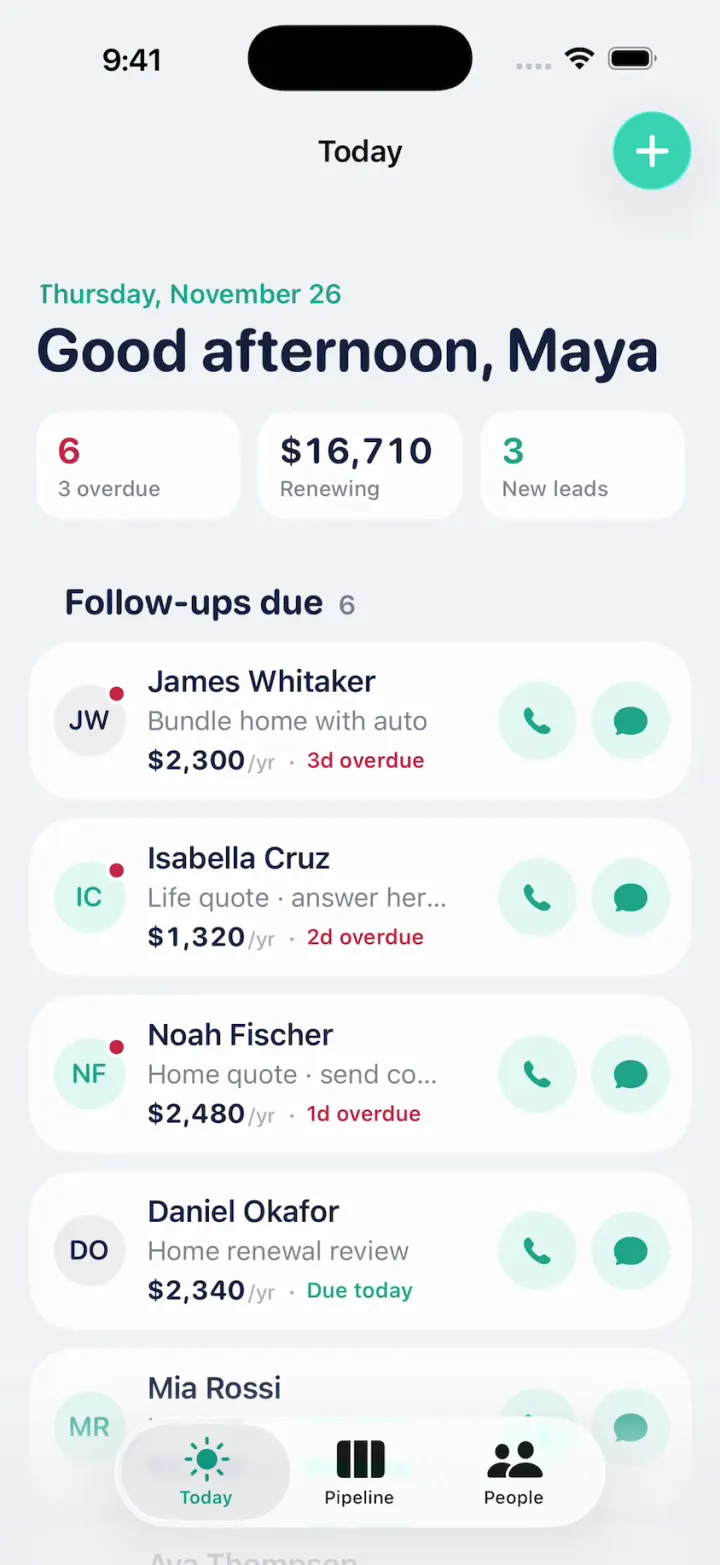
Keel
iOSA pocket CRM for insurance agents: follow-ups due today, renewals in the next 30 days and one-tap calls.
- View template
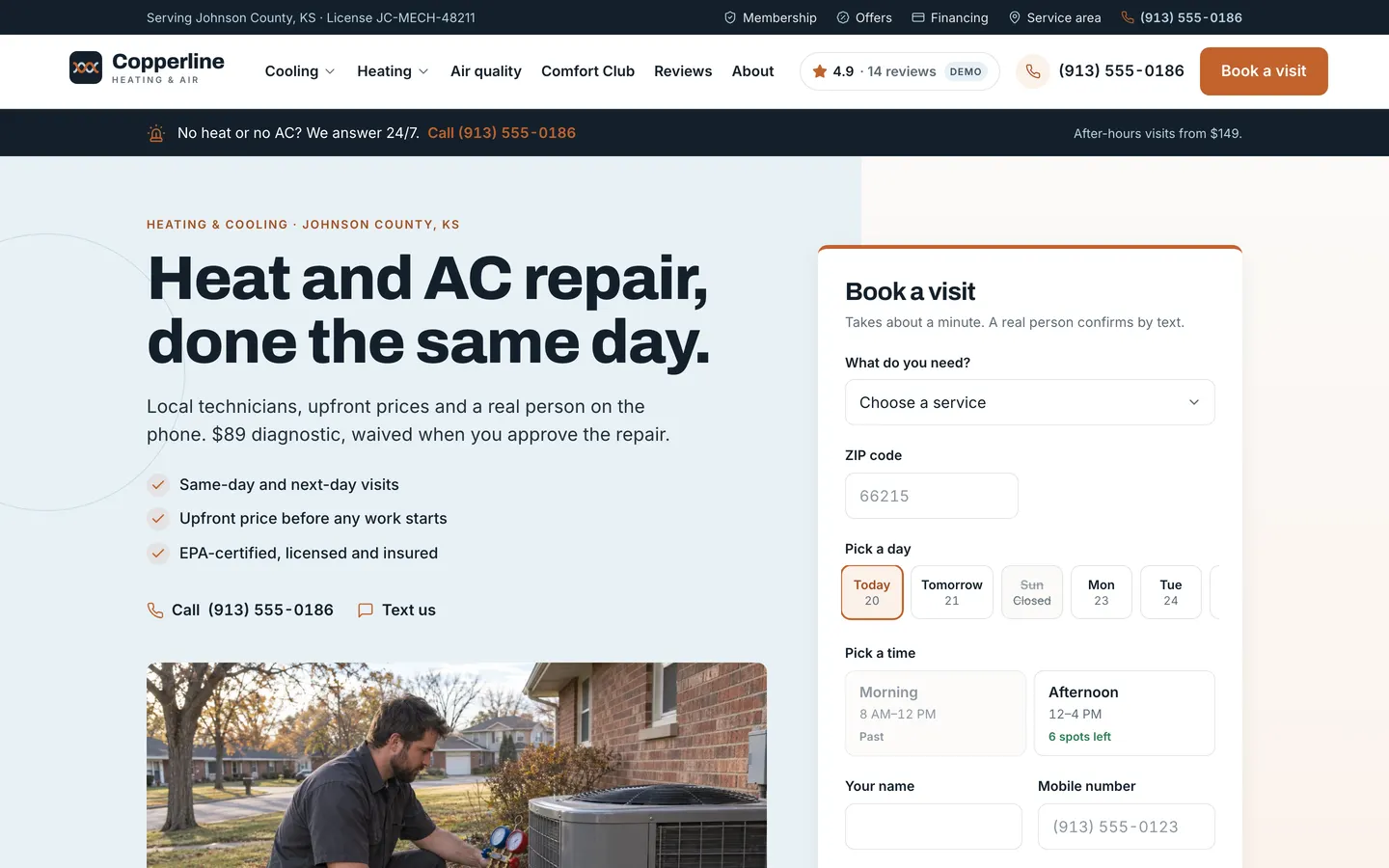
Copperline Heating & Air
WebAn HVAC company site that books visits by the half-day, with a drag-and-drop dispatch board and a tech app.
- View template
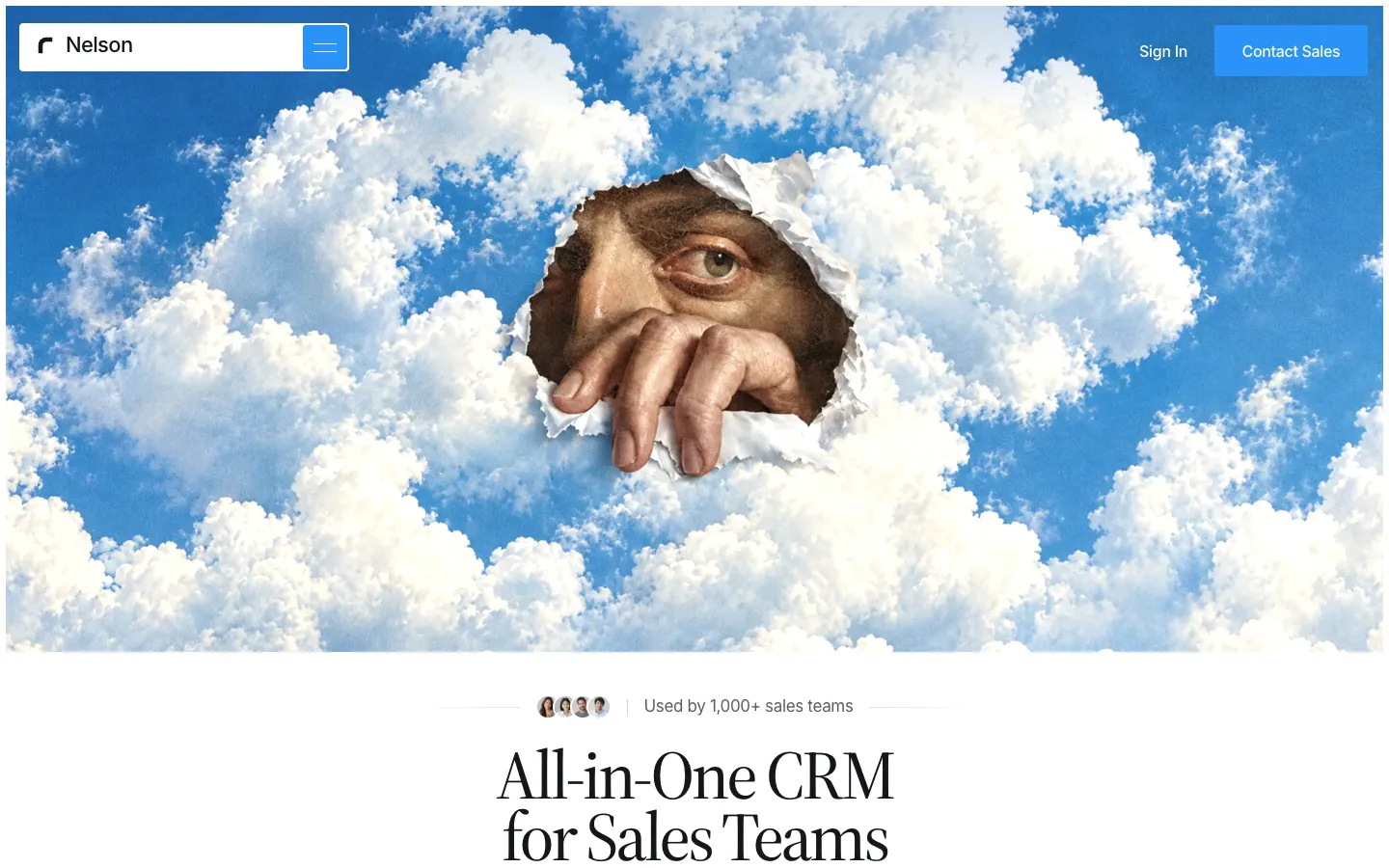
Nelson CRM
WebA CRM site in surreal collage: clouds torn like paper, marble statues, starry skies and an electric blue UI
- View template

Orbit CRM
WebAn AI CRM site in electric blue, pixel type and halftone Roman emperors, with live HTML product mocks.