Suite TV
Entertainment app · built by the Vibecode team
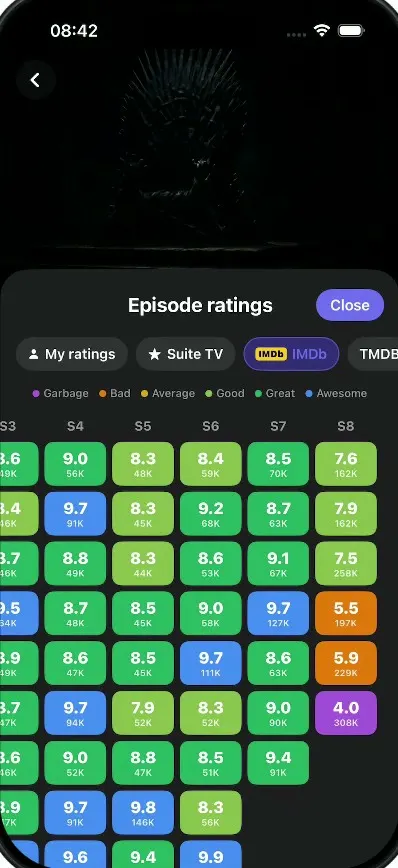
Suite TV is a show and movie tracker, cloned from Suite TV's launch film. Tick an episode on the To Watch list and it turns green with a Watched pill, then slides on to the next one. The episode sheet lets you rate 1 to 10 with a purple cascade, pick moods whose emoji pop out big, and choose a favorite character who jumps to the front. Game of Thrones gets an IMDb heatmap that fills in cell by cell and swipes over to season 8, an import screen counts a ring up to 100% while source chips fly in, and the Upcoming tab drops in new-episode banners.
- iPhone · Swift
- Built in 1 prompt
- Free to remix

Remix copies the working app into your account for free, exactly as we built it. It runs in Vibecode's cloud iOS simulator, in your browser.
The prompt that builds it
We built Suite TV in one prompt. Paste it into a new app to build your own copy, or change it first.
Prompt · 2,213 words
Download/reference the app shown in this post and clone it exactly, including the iPhone visual design, layout, interactions, animations, typography, spacing, and all visible states. Make it functional and runnable in the simulator. Match the reference as closely as possible and include any interaction shown in the source. Reference: https://x.com/suitetvapp/status/2110807925195415917. The actual 36-second video is uploaded as source.mp4 in project Files. Inspect it carefully, extracting frames as necessary.

Build a native SwiftUI iOS app named Suite TV using Opus 5.5. This is "Suite TV", a dark TV show and movie tracker ("Track your shows and movies"), demonstrated on iPhone (portrait). The video is a launch film: big headlines ("Always know what's next.", "Rate it.", "Feel it.", "Pick your hero.", "See where it fell apart.", "Bring your whole history.", "Never miss a release.") over the real app screens. Build the APP, not the headlines or the film. Do NOT put a fake handset frame inside the actual app; the simulator provides that. Use realistic deterministic fixture data so every screen is rich and usable without permissions or backend. Do not publish externally.

Observed video sequence (0-36s):
0-4s: logo intro (skip, not part of the app).
5.5-7s: TO WATCH tab; the episode cards stagger in (fade + slide up, ~80ms apart).
7-7.75s: the round white check button on the Game of Thrones card is tapped: it fills green with a white check, a soft ring pulses out, and a green "✓ Watched." pill pops up above the button.
8-8.5s: the card advances to the next episode (S08 | E04, "The Last of the Starks · 1h17", +2) with a quick slide.
8.5-9.5s: the episode detail sheet for "The Long Night" slides up over the list.
9.5-10.3s: "Your rating": tapping square 10 fills squares 1 through 10 purple in a fast left-to-right cascade; header shows 10/10.
10.5-12.5s: "Your mood": "Shock" is tapped, then "Touched": each tapped tile turns selected (purple fill + purple border) and its emoji pops out BIG (scales up ~3x above the tile, then settles back), percentages appear on all tiles, the counter reads 1/5 then 2/5.
12.75-13.75s: "Favorite character": "Arya Stark" is tapped; she gets a purple border and slides to the first position of the carousel with a spring.
14-16s: the Game of Thrones "Episode ratings" sheet: the heatmap cells pop in one by one (column by column, top to bottom, fast stagger), then the grid is swiped left to reveal S5-S8 where season 8 turns orange and purple.
17.5-21.5s: "Import my library": a progress ring counts 0% -> 100% while source chips float around it; then the ring turns into a green check and "Import complete 🎉" with a stats card.
22-26s: UPCOMING tab; in-app notification banners drop in from the top: first "The Last of Us", then "Spider-Man: Brand New Day" pushes it down.
26-36s: "More than 150,000 people already on Suite TV" counter + end card (skip, not part of the app).

Visual details (all screens): pure black #000000 background, dark mode, light status bar. Cards #1C1C1E with 18pt corner radius. Accent purple/indigo #6366F1 (tabs, show-name pills, rating squares, selected states); green #34C759 for watched. Typography: SF Pro, heavy/bold for titles and episode codes, regular grey #8E8E93 for secondary text. No tab bar at the bottom.

SCREEN 1: home with two top tabs "TO WATCH" (selected, purple text with a 3pt purple underline spanning the left half) and "UPCOMING" (grey). A small 2x2 grid icon (square.grid.2x2) at the right below the tabs, and a small "Import" icon button (square.and.arrow.down) to the LEFT of the grid icon that opens Import my library. Then a centred dark capsule section pill "TO WATCH". Then episode cards (full width, 16pt side margins, ~118pt tall, 14pt apart): poster on the left (~78pt wide, full card height, rounded left corners), then a show-name pill (purple uppercase bold text with ">" chevron inside a dark rounded capsule with a thin grey border), then the episode code big and bold "S08 | E03" followed by a small grey "+3" (episodes left), then the grey subtitle "The Long Night · 1h21". On the right a 52pt white circle with a black checkmark.
Cards in order:
- GAME OF THRONES, S08 | E03 +3, "The Long Night · 1h21"
- STRANGER THINGS, S05 | E05 +3, "Chapter Five: Shock J... · 1h08"
- WEDNESDAY, S02 | E01 +7, a white "PREMIERE" badge then "Here We Woe ... · 1h"
- THE LAST OF US, S02 | E03 +4, "The Path · 56min"
- SEVERANCE, S02 | E04 +6, "Woe's Hollow · 52min"
Tapping the check on a card: the circle fills green (#34C759) with a white check and a soft green ring pulse, a green capsule "✓ Watched." (green text, green outline, dark green fill) pops in with a spring above the top-right of the card, holds ~1.2s and fades; then the card content slides to the next episode (Game of Thrones -> S08 | E04 +2, "The Last of the Starks · 1h17") and the check returns to white. Tapping anywhere else on the Game of Thrones card opens the episode detail sheet for S08 E03 "The Long Night" (always that episode, for the demo).
Tapping the TO WATCH tab while already on it resets the whole demo (Game of Thrones back to S08 | E03, all selections cleared) and replays the card stagger-in.

SCREEN 2: episode detail sheet (slides up as a large sheet with a grab handle, black background, scrollable):
- Hero image (~260pt tall) of a hooded, bearded warrior in a dark firelit hall, with a top-right capsule "[small poster] Game of Thrones >" (tapping it opens the Episode ratings screen), and at the bottom-left three small rating chips: TMDB logo "6.8 · 402", yellow IMDb badge "7.5 · 258K", yellow star "9.3 · 332".
- "S08E03" small purple bold; share icon button on the right (circle, dark).
- Title "The Long Night" bold 28pt; "Apr 28, 2019 · 1h21" grey.
- A full-width "Watched" capsule button: dark indigo fill, 1.5pt purple border, purple check.circle.fill + "Watched" purple semibold text.
- Below it centred grey "calendar icon  Watched on Sep 25, 2026 ⌄".
- A dark rounded row: "↻ Rewatches" on the left, purple "⊕ Rewatched" on the right.
- "Your rating" (bold) with "10/10" in purple at the right once rated (empty before). A row of 10 rounded squares numbered 1-10 (dark grey #2C2C2E unselected, purple #6366F1 selected, white numbers), with grey percentages under each: 1%, 1%, 0%, 1%, 1%, 3%, 3%, 9%, 1%, 80%. Tapping square N fills 1..N in a fast staggered cascade (30ms apart) with a little bounce.
- "Your mood" (bold) with a grey counter on the right ("1/5", "2/5", max 5). A 4-column grid of rounded tiles (emoji on top, label under, percentage under the label once any mood is selected), in this order:
  😍 Love it 15% · 😂 Funny 0% · 😱 Shock 46% · 😢 Sad 5%
  😨 Fear 7% · 🤔 Thoughtful 0% · 😡 Anger 2% · 😴 Bored 0%
  😬 Tense 4% · 🥺 Touched 18% · 🤯 Confused 3% · 😞 Disappointed 0%
  Selecting a tile: indigo fill #2E2B6B + 2pt purple border, the emoji scales up big (to ~90pt) above the tile with a spring then settles back over ~0.8s. Tapping again deselects.
- "Favorite character" (bold) horizontal carousel of portrait cards (~96x130, rounded 12pt) with name (white) and actor (grey) under each: Jon Snow / Kit Harington, Daenerys Ta... / Emilia Clarke, Arya Stark / Maisie Willia..., Theon Greyjoy / Alfie Allen, Jorah M... / Iain G..., Sansa Stark / Sophie Turner. Tapping one gives it a 2pt purple border and a purple percentage (Arya Stark 31%) and it springs to the first position, the others shuffle right.
- "Watched on" with a row of 5 dark rounded icon tiles (tv, iphone, ipad, laptop, projector).
- A dark row "💬 Comments" with a purple count capsule "253" and a chevron.
The sheet resets its rating, mood and character selections every time it opens.

SCREEN 3: Episode ratings (pushed from the "Game of Thrones >" capsule): full-black screen, top hero art of a dark iron throne made of swords (~300pt tall) with a round dark back button top-left. Over the lower part a rounded sheet (#1C1C1E, 28pt top corners): centred title "Episode ratings" and a purple capsule "Close" button at the right (pops back). Segmented chips: "👤 My ratings", "★ Suite TV", "IMDb" (selected: indigo background, yellow IMDb badge, purple text), "TMDB". Legend row with coloured dots: Garbage (purple), Bad (orange), Average (yellow), Good (lime), Great (green), Awesome (blue). Then a grid: row labels E1-E10 on the left (grey), column headers S1-S8, each cell a rounded rectangle (~62x44) with the rating big and bold and the vote count small under it, white text. Colours: >= 9.5 Awesome blue #3B82F6; 8.5-9.4 Great green #22A355; 7.5-8.4 Good lime #7CB342; 6.5-7.4 Average yellow #D4A017; 5.0-6.4 Bad orange #E2700A; < 5 Garbage purple #9B4FD6. The grid is wider than the screen: S1-S5 visible, swipe left to scroll horizontally to S8. Data (rating/votes, E1 down):
  S1: 8.9/82K, 8.6/62K, 8.5/59K, 8.6/56K, 9.0/59K, 9.1/58K, 9.2/59K, 8.9/55K, 9.6/95K, 9.4/72K
  S2: 8.6/51K, 8.3/48K, 8.6/48K, 8.6/47K, 8.6/47K, 8.9/49K, 8.8/47K, 8.6/47K, 9.7/103K, 9.3/66K
  S3: 8.6/49K, 8.4/46K, 8.7/46K, 9.5/64K, 8.9/49K, 8.7/47K, 8.6/46K, 8.9/47K, 9.9/158K, 9.0/56K
  S4: 9.0/56K, 9.7/91K, 8.8/49K, 8.7/48K, 8.6/47K, 9.7/94K, 9.0/52K, 9.7/91K, 9.6/81K, 9.6/79K
  S5: 8.3/48K, 8.3/45K, 8.3/44K, 8.5/45K, 8.5/45K, 7.9/52K, 8.8/47K, 9.8/146K, 9.4/68K, 9.2/67K
  S6: 8.4/59K, 9.2/68K, 8.6/53K, 9.0/58K, 9.7/111K, 8.3/52K, 8.5/51K, 8.3/56K, 9.9/315K, 9.9/233K
  S7: 8.5/70K, 8.7/63K, 9.1/67K, 9.7/127K, 8.6/63K, 9.0/90K, 9.4/91K
  S8: 7.6/162K, 7.9/162K, 7.5/258K, 5.5/197K, 5.9/229K, 4.0/308K
Every time this screen appears the cells pop in one by one (scale 0.6 -> 1 + fade, column by column top to bottom, ~18ms apart).

SCREEN 4: Import my library (opened from the Import icon on the home screen): black screen, round dark back button top-left, centred title "Import my library". In the middle a ~150pt progress ring (dark grey track, purple #6366F1 progress, rounded caps) with a big centred percentage "21 %". Under it "Importing..." (white semibold), the current show name (grey: cycles The White Lotus, Breaking Bad, Chernobyl, Severance, Black Mirror, Stranger Things, Game of Thrones), a dimmer quip ("Rolling the credits...", "Counting your all-nighters..."), and a counter "41 / 195 · 936 episodes" that climbs to "195 / 195 · 4449 episodes". Six dark capsule chips float around the ring with a gentle drift: "TV Time" (top-left), "Trakt" (top-right), "Letterboxd" (left), "Bingers" (right), "Sofa Time" (bottom-left), "CSV" (bottom-right); as the progress passes each chip's turn it flies into the ring, shrinks and disappears. The import starts automatically when the screen appears and runs 0% -> 100% in about 3.2s (ease-in-out). At 100% the ring collapses into a green circle with a white check (spring), then "Import complete 🎉" (white bold) and a dark rounded stats card fade in:
  "195 / 195 shows imported" · "4449 episodes marked as watched" · "195 / 195 films imported" · "152 comments imported" (numbers purple bold, the rest grey).
The back button returns home; reopening replays the import.

SCREEN 5: UPCOMING tab (tap UPCOMING; underline slides right). A centred pill "TOMORROW", then cards with poster, show-name pill, episode code, and on the right a big number with the unit and network under it:
- THE LAST OF US, S02 | E04 — "1" / "DAY" / "HBO"
- STRANGER THINGS, S05 | E06 — "1" / "DAY" / "NETFLIX"
Pill "LATER":
- SEVERANCE, S02 | E05 — "4" / "DAYS" / "APPLE TV"
- WEDNESDAY, S02 | E02 — "6" / "DAYS" / "NETFLIX"
Every time the UPCOMING tab is selected, ~0.7s later an in-app notification banner (iOS style: dark translucent rounded 22pt card, the purple Suite TV app icon on the left, bold title, body line, grey "now" at the right) drops in from the top with a spring: "The Last of Us" / "New episode: S02 | E04". 0.7s later a second banner "Spider-Man: Brand New Day" / "Out today 🎬" drops in on top and pushes the first one down; both stay over the top of the list. Switching back to TO WATCH clears them.

App icon / logo: a purple rounded square with a stylised white "S" shaped like a play button.

Images: generate original artwork with gpt-image-1 through the project's proxied OPENAI_API_KEY at https://api.openai.com/v1/images/generations (run env first; do not use the Codex proxy). No real actors' likeness and no logos: posters evoking each show (an iron throne of swords; a dark forest at night with flashlights and bikes; a girl in black under an umbrella in the rain; an overgrown ruined city; a man in a suit with an office desk; a city skyline at dusk with a red-and-blue hero silhouette), the hooded warrior hero still, the iron throne header, and six fantasy character portraits on dark backgrounds. Draw the show titles on the posters in SwiftUI if needed. Save every image in the asset catalog.

Keep every file you create inside /home/user/workspace (fonts, generated images, scripts): tool access to /tmp and other paths outside the workspace is denied in this sandbox.

Build fully, run compile/build validation, resolve all errors, and launch in the web simulator. Prioritize fidelity to the attached source and functional main interaction flow. Deliver complete implementation rather than a plan.
More templates
All templates- View template
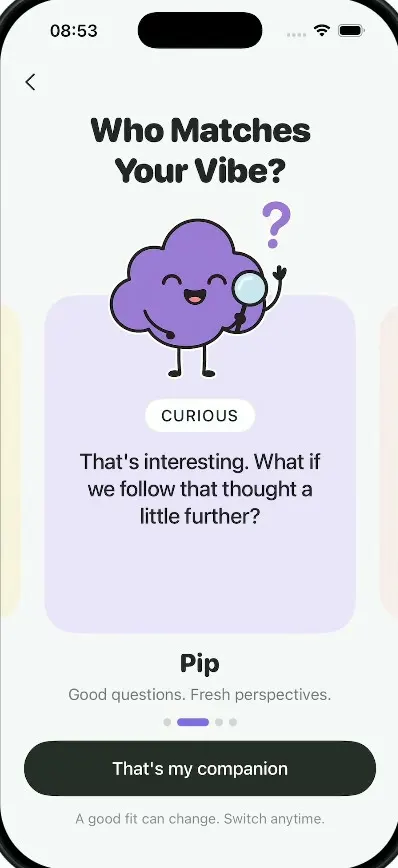
Milo
iOSAn AI companion onboarding: springy sticky notes, four cartoon companions, a rolling dial and a postage stamp.
- View template
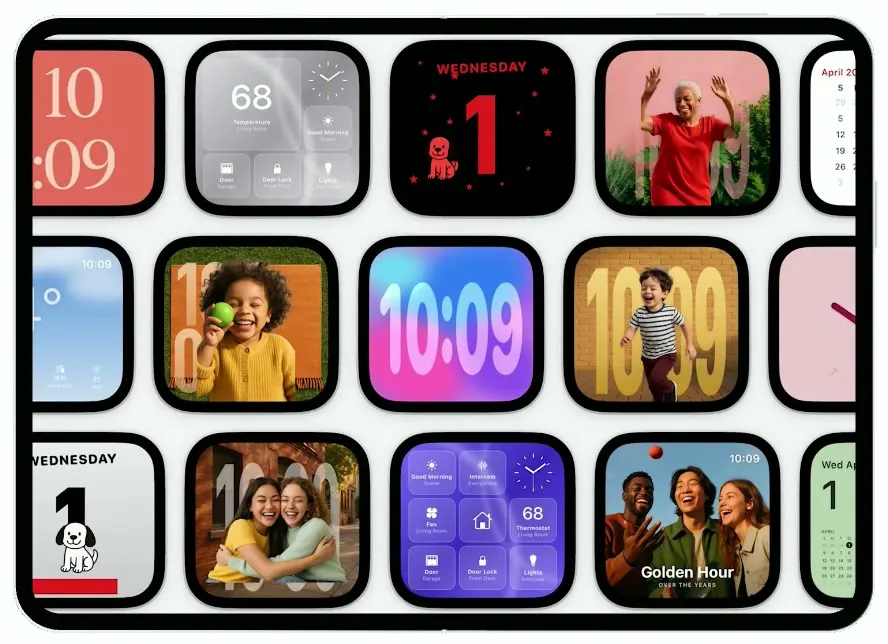
HomeView
iOSA smart-home display on the iPhone Duo: drifting clock faces, face recognition, Siri answers, a 68° dashboard.
- View template
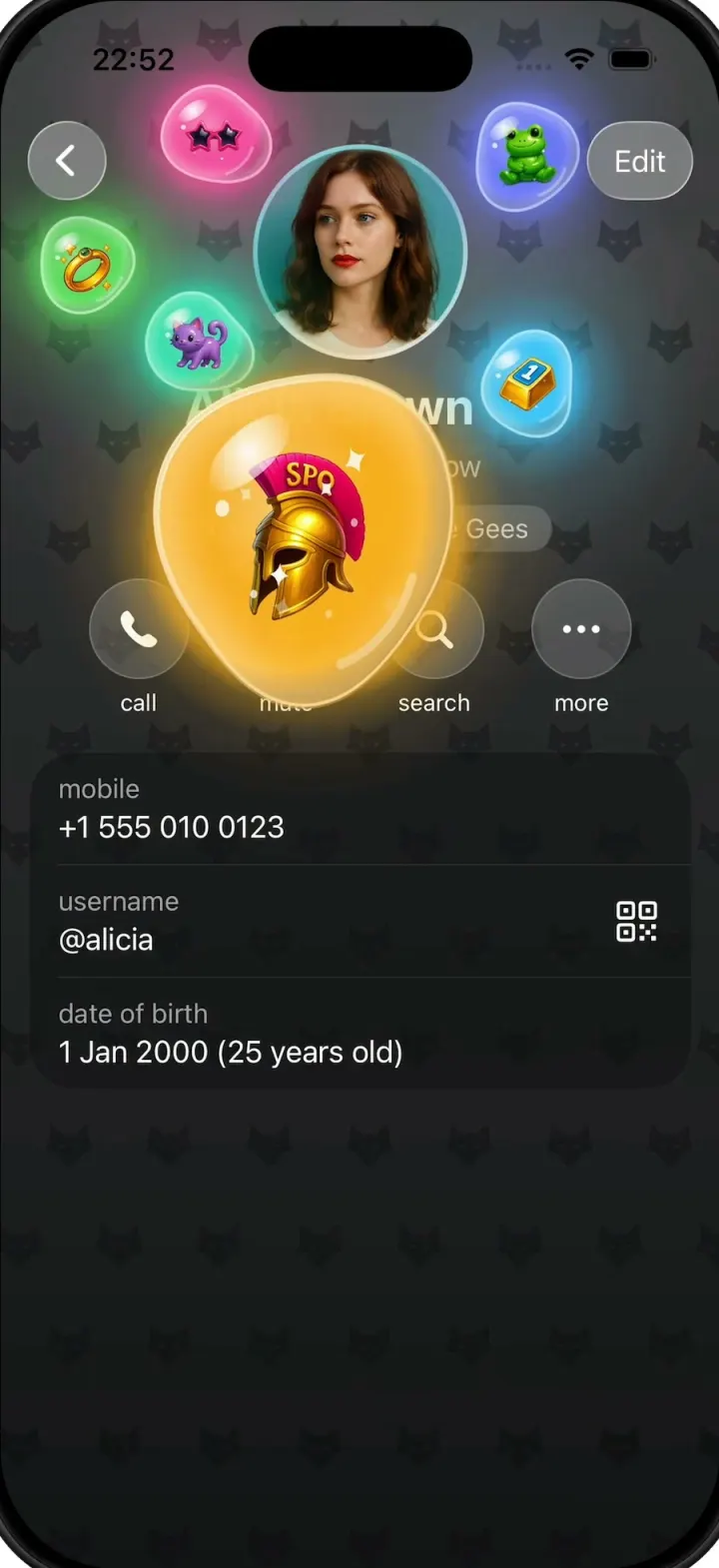
Gift Profiles
iOSA Telegram-style profile where gift bubbles pop out of the avatar and swell into jelly blobs as you drag them.
- View template
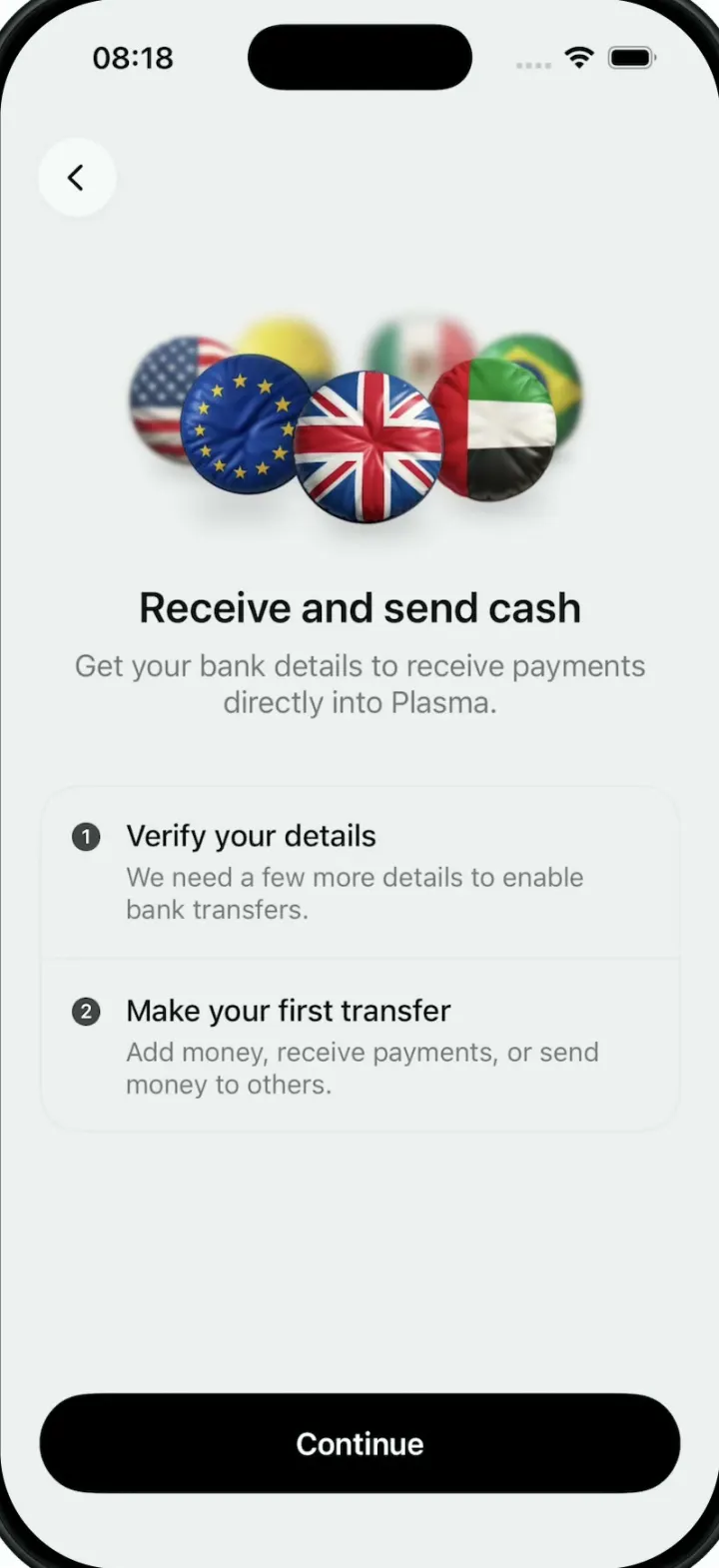
Plasma
iOSA money app onboarding screen whose hero is a turning 3D ring of puffy, glossy country-flag badges.