Gift Profiles
Social app · from our videos on X
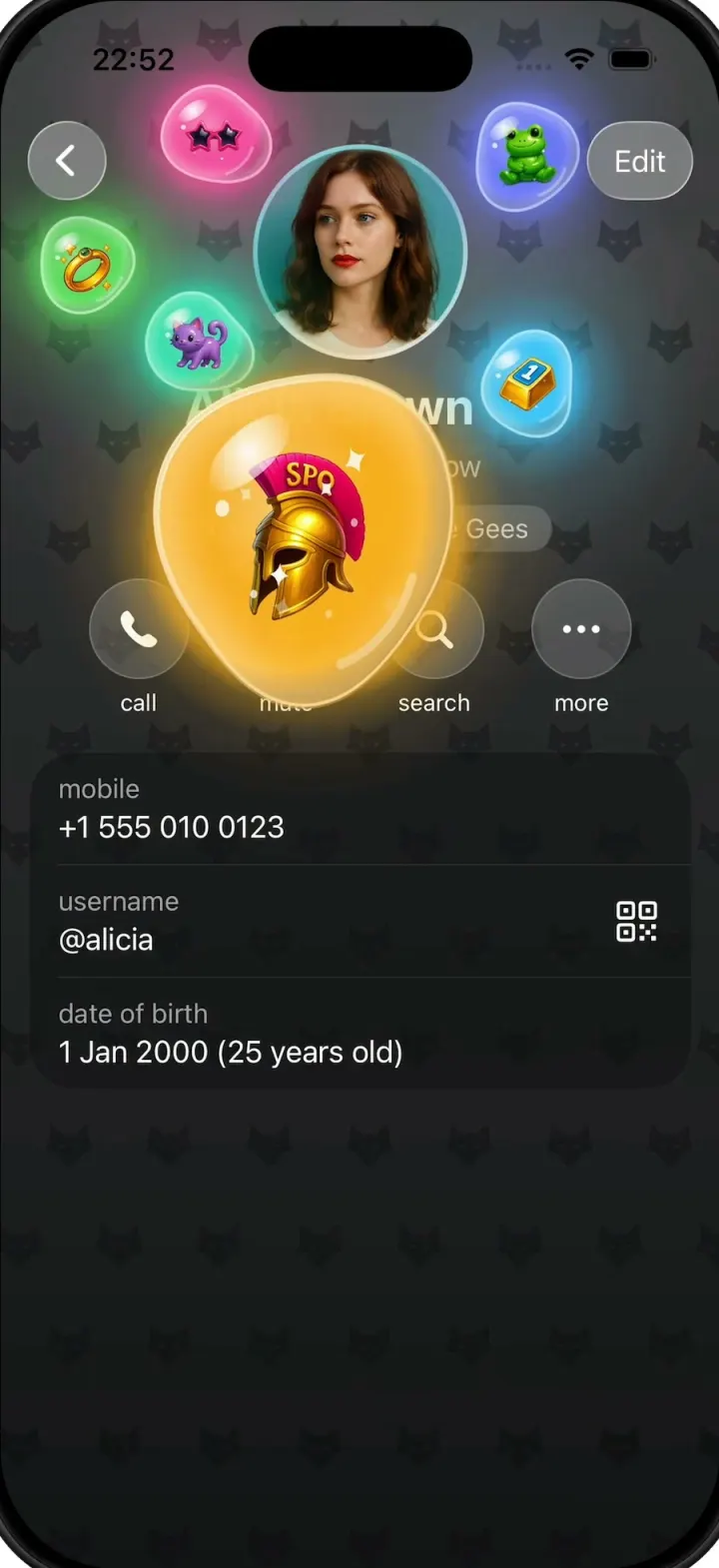
Gift Profiles is a Telegram for iOS concept in iOS 26 liquid glass: a chats list, a chat with Alicia Brown over a green doodle wallpaper, and her profile, which grows out of the chat header's avatar as a frosted card. Tap or pull down the avatar and it stretches into a full-width photo, then shrinks back. Tap her gold-bar emoji status and the profile cross-fades to a purple fox-pattern theme while six glossy gift bubbles pop out around the avatar. Press and drag a bubble and it swells into a big wobbly jelly blob with the sticker inside. Tap the background to cycle through deep blue, teal, emerald, amber and charcoal themes, where every bubble glows in its own neon colour.
- iPhone · Swift
- Built in 2 prompts
- Free to remix

Remix copies the working app into your account for free, exactly as we built it. It runs in Vibecode's cloud iOS simulator, in your browser.
Watch the video on X@vibecodeapp · Oct 13, 2026The prompt that builds it
We built Gift Profiles in 2 prompts. Here they are folded into one, so a single paste into a new app builds the finished version.
Prompt · 2,045 words
Download/reference the app shown in this post and clone it exactly, including the iPhone visual design, layout, interactions, animations, typography, spacing, and all visible states. Make it functional and runnable in the simulator. Match the reference as closely as possible and include any interaction shown in the source. Reference: https://x.com/mds/status/2109336830961205599. Build a native SwiftUI iOS app named Gift Profiles using Opus 5.5. This is a Telegram for iOS concept (iOS 26 "liquid glass" style) demonstrated on an iPhone: a chat list, a chat, and a contact profile that morphs out of the chat header, whose avatar stretches into a full photo, and whose "collectible gifts" mode turns the profile into a coloured theme with glossy jelly gift bubbles floating around the avatar. Do NOT put a fake handset frame or a fake status bar inside the actual app; the simulator provides those. Use realistic deterministic fixture data so every screen is rich and usable without permissions or backend. Observed video sequence (0-76s): 0-1.7 Chats list (light); tap "Alicia Brown"; 1.7-3.3 her chat (green doodle wallpaper); 3.3 tap the round avatar at the top right of the chat header: a frosted glass rounded card grows out of the header while the avatar flies to the centre and enlarges, and the card becomes the full light profile screen (3.6-4.7); 5.0 back: the profile shrinks back into the header as a frosted card and the chat returns; 6.7 open again and the avatar stretches into a full-width photo (7.3-9.0) then shrinks back; 11.3-12.7 light profile; 12.7-13.3 the profile cross-fades from light grey to a PURPLE theme with a tiled fox-head pattern and all text turns white; 13.5-14.5 six small glossy translucent gift bubbles pop out from behind the avatar and spread around it; 14.5-16.5 they float and drift around the avatar, and the finger flicks them around; 17-21.5 the finger presses and drags the green frog bubble: it swells to about 3x into a big glossy blue jelly blob with the frog sticker inside, sparkles/stars inside, following the finger, then springs back small on release; 22.7-25.7 the avatar stretches into the full photo again on the purple theme, then back; 29-33 the pink sunglasses bubble is grabbed and swells into a big hot-pink jelly blob; 33-47 the theme colour keeps changing smoothly (purple -> deep blue -> teal -> emerald green -> amber gold -> charcoal) and on these darker themes every bubble has a bright neon glow in its own colour; 47.5-50.5 the gold Spartan helmet bubble is grabbed and swells into a big glowing amber jelly blob; 53-58 bubbles flicked around on the charcoal theme; 59-72 theme continues magenta -> royal blue -> violet -> purple; 72.3 back: the themed profile shrinks into the chat header; 74.7 back to the Chats list. Visual details (iPhone 393pt wide; SF Pro everywhere): 1. Chats list. White background. Top bar: left an "Edit" glass capsule button (white, hairline grey border, soft shadow); centre title "Chats" semibold 17 followed by a filled blue star icon (#1E88F5); right a glass circle with a dashed-circle-plus icon and a filled blue (#1E88F5) circle with a white square.and.pencil icon. Below: a grey (#EEEEF0) capsule search field with a magnifying glass and "Search" placeholder. Rows: 56pt round avatar, name semibold 17 (black), time right-aligned 15 grey (#8E8E93), message 15 grey (up to 2 lines), hairline separators inset from the text. Rows in order: - Alicia Brown + her emoji status (a small gold bar with a blue "1" plaque) | 12:41 | "Sunset spot at 7? I'll bring the camera" - John Ivanov | 12:20 | "Sent you 17 Grams 💎" | blue unread badge "1" - Study Group + grey muted speaker icon | 11:58 | sender line "Emma" (black) then "calculations.zip" | avatar: green circle with 🧑🏫 - Thomas + grey muted speaker icon | 11:22 | "Happy Birthday! 🎉" | grey badge "3" - Jessica | green double check + 10:47 | "See you at the gallery ✨" - Telegram + blue verified badge | 9:30 | "Your login code: 52917. Do not give this code to anyone." | avatar: #2AABEE circle with a white paperplane Tapping the Alicia Brown row pushes her chat. 2. Chat with Alicia Brown. Full-screen Telegram wallpaper: diagonal gradient yellow-green #C9DE7E (top left) to green #79B86C (bottom right) with a tiled line-art doodle pattern (cats, stars, hearts, cups, planes, fruit) drawn in a slightly darker green at ~25% opacity. Header floating over the wallpaper: left a 44pt glass circle with a back chevron; centre a glass capsule with "Alicia Brown" semibold 17 + her gold-bar emoji status, and below it "last seen just now" 13 grey; right a 40pt round avatar of Alicia. Centred small translucent dark-green date pills "Yesterday" and "Today" (white semibold 15). Messages (incoming = white bubble with left tail, outgoing = #E1FEC6 bubble with right tail; times 12 inside the bubble bottom-right, grey for incoming, #5DB75A for outgoing followed by a green double check): - in "Did you see the new exhibition?" with 🖼️ on the next line, 18:02 - out "Not yet! Is it worth it?" 18:05 - in "Totally. The light installations are magic ✨" 18:06 - out "Let's go this weekend" 18:10 - in "Deal 🤝" 18:11 - date pill "Today" - in "Hey! Are you free tonight? 🌇" 12:32 - out "Yes! What's the plan?" 12:34 Back chevron returns to the Chats list. 3. Profile, light. Background #EFEFF4. Top: 44pt glass circle back chevron at left, "Edit" glass capsule at right. Centred round avatar 120pt (Alicia's photo) near the top. Then "Alicia Brown" bold 28 + the gold-bar emoji status; "last seen just now" 17 grey; a capsule pill with a hairline grey border: animated three-bar music waveform icon, "Stayin' Alive" semibold 15, " - Bee Gees" regular 15 grey. Then a row of four 56pt circular glass buttons with black icons (phone.fill, bell.fill, magnifyingglass, ellipsis) and labels under them 13: "call", "mute", "search", "more". Then a white rounded (26pt) info card: "mobile" (15 grey) / "+1 555 010 0123" (17); separator; "username" / "@alicia" with a blue qrcode icon on the right; separator; "date of birth" / "1 Jan 2000 (25 years old)". Morph transition (chat <-> profile): tapping the chat header avatar: a frosted glass rounded rectangle (corner ~44) grows out of the header capsule/avatar area, expanding to fill the screen, while the avatar flies from the header to the profile centre and scales up, then the profile content fades in. About 0.55s, spring. The chat stays visible behind the growing card. The profile back chevron reverses it: the profile shrinks into a frosted card that collapses into the header avatar. Avatar stretch: on the profile, pulling down (drag down anywhere on the top half) or tapping the avatar morphs the round avatar into a full-width photo filling the top ~470pt of the screen edge to edge (no corner radius), with the name, "last seen just now" and the music pill overlaid near its bottom on a soft blur/fade into the background; the back and Edit buttons stay as glass over the photo. Tapping the photo or dragging up morphs it back into the 120pt circle. Spring, ~0.5s. 4. Gifts mode. On the profile, tapping the gold-bar emoji status next to the name turns gifts mode on: over 0.6s the background cross-fades from light grey to the PURPLE theme and all text, icons and buttons switch to white-on-colour (buttons become translucent white 18% circles, the music pill translucent white with no border, the info card a darker translucent tint of the theme with white text and white-60% labels). The theme background is a vertical gradient plus a soft lighter radial glow behind the avatar, plus a tiled pattern of small fox-head silhouettes (simple vector Path, ~26pt, staggered grid ~56pt apart) in a darker tone of the theme at ~30% opacity. Right after the theme lands, six gift bubbles pop out from behind the avatar with a staggered springy scale-up and spread to spots around the avatar (top-left, top-right, right, lower-right, lower-left, left; some overlap the avatar edge and the name). Gift bubbles: each is a ~56pt translucent glossy jelly blob in its own colour: a slightly irregular rounded blob shape that wobbles (squash and stretch, organic outline), with a bright specular highlight at top-left, a darker rim, a lighter inner glow, and a 3D sticker inside (~34pt). They drift slowly and continuously around their home spots (gentle orbit + bobbing, different phases), push each other apart softly so they don't stack, and stay near the avatar. A quick flick sends a bubble gliding with momentum and it eases back home. The six gifts: - pink star-shaped sunglasses with dark lenses, hot-pink bubble #FF4FA3 - a green plush frog toy sitting, periwinkle bubble #6E7BFF - a gold Spartan helmet with a magenta crest lettered "SPQ", amber bubble #FFB020 - a gold bar with a blue "1" plaque (same as the emoji status), sky-cyan bubble #3EC8FF - a purple cat with pink ears, teal-mint bubble #2EE6C0 - a small gold ring with sparkles, lime-green bubble #5EE05E Generate the six stickers and the photos as images (see below); do not use emoji for the stickers. Grab: pressing and dragging a bubble makes it swell with a spring to ~3x (about 170pt) into a big glossy jelly blob that wobbles, its sticker scaled up (~100pt) with a few small white sparkles/stars floating inside; it follows the finger (slight spring lag) above all content. On release it springs back to normal size and drifts back home. Themes: tapping any empty background area of the gifts-mode profile (not a bubble or a button) advances to the next theme with a smooth 1.2s cross-fade of the gradient, glow and pattern. Order (top colour -> bottom colour): 1 purple #B550D8 -> #7A34CC 2 deep blue #1F5577 -> #0F2C44 3 teal #1E7A6C -> #0D4840 4 emerald #1F7D40 -> #0C4A24 5 amber gold #A0700F -> #553A06 6 charcoal #3B3B3D -> #161618 7 magenta #93205A -> #4D0C2D 8 royal blue #2C52A8 -> #142A62 9 violet #6E3CCB -> #482096 then back to purple. On every theme except purple and violet, every bubble gets a strong neon outer glow in its own colour (blurred shadow radius ~22, plus a bright edge), so the gifts look lit up on the dark backgrounds. Leaving the profile (back chevron) always resets it: gifts mode off, light theme, avatar a circle. Back from the chat returns to the Chats list, so the Chats list is the clean start of the whole flow every time. Images: generate with the project's proxied OPENAI_API_KEY via https://api.openai.com/v1/images/generations with model gpt-image-1 (if image generation via another route is blocked, run env and use that key with that endpoint): (a) Alicia's avatar: a photoreal portrait of a young woman with shoulder-length auburn hair, looking slightly to the right, light skin, red lips, white top, bright teal/cyan wall behind her, square 1024; (b) chat avatars: John Ivanov a man with dark hair in teal light, Thomas a young man in a cap and red jacket outdoors, Jessica a blonde woman in round sunglasses on a yellow background; (c) the six gift stickers as glossy 3D renders on a transparent background (background: "transparent"). Save them into the Xcode asset catalog. Use native SwiftUI spring animations, matchedGeometryEffect, gestures and TimelineView/Canvas for the floating bubbles; not static screenshots. Keep the app 60fps. Build it in small source files, in this order: first start the image generation (Alicia's portrait, the chat avatars, the six gift stickers on transparent backgrounds) in the background, then the Chats list and the green-wallpaper chat, then the light profile with the morph from the chat header avatar and the avatar stretch, then gifts mode (purple fox-pattern theme, the six floating jelly bubbles popping out of the avatar, grab-to-swell drag, tap-empty-background theme cycle with the neon glow on dark themes). Use the exact fixtures and strings above. Keep SwiftUI types simple and split complex view bodies. Build fully, run compile/build validation, resolve all errors, and launch in the web simulator. Prioritize fidelity to the reference and the functional main interaction flow (chat list -> chat -> morph into profile -> avatar stretch -> gifts mode with floating bubbles, grab-to-swell, theme changes with glowing bubbles). Deliver complete implementation rather than a plan.
More templates
All templates- View template
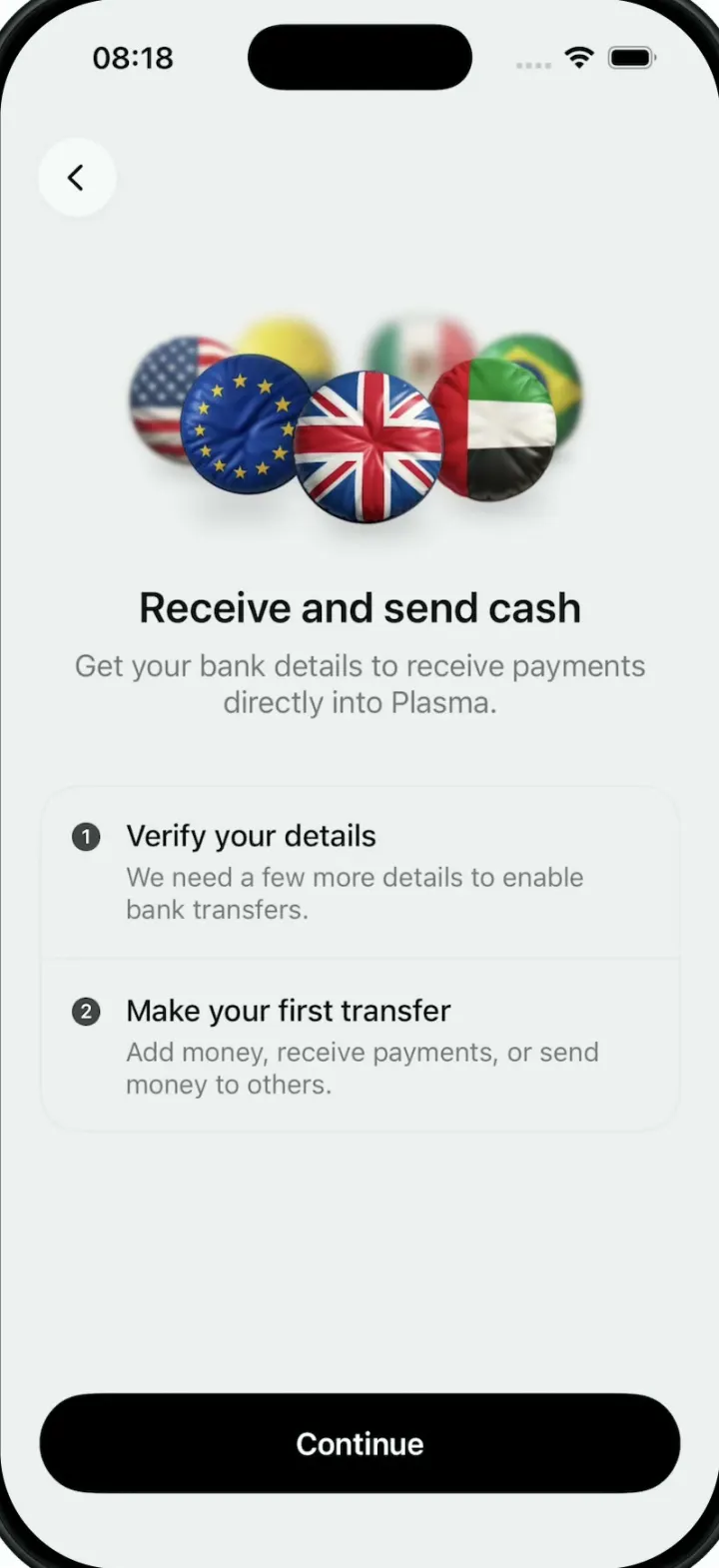
Plasma
iOSA money app onboarding screen whose hero is a turning 3D ring of puffy, glossy country-flag badges.
- View template

Battlefleet
iOSBattleship for the foldable iPhone Duo, with a realistic 3D ocean, jet strikes and a two-panel board.
- View template
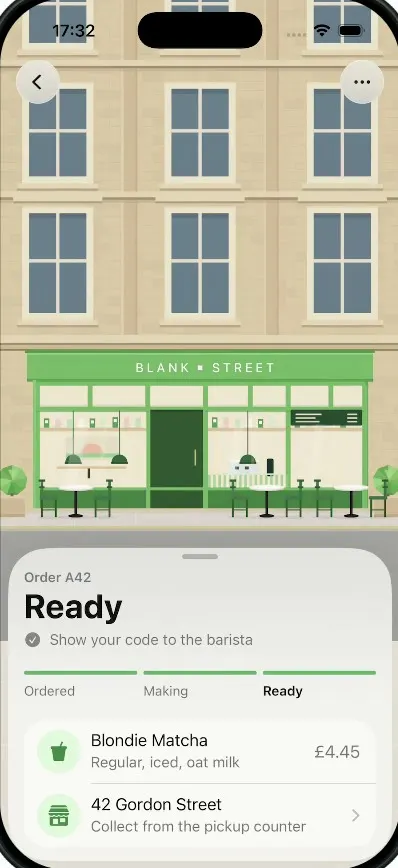
Pickup
iOSA coffee order tracker whose street tilts into a 3D field of QR blocks that flattens into your pickup code.
- View template
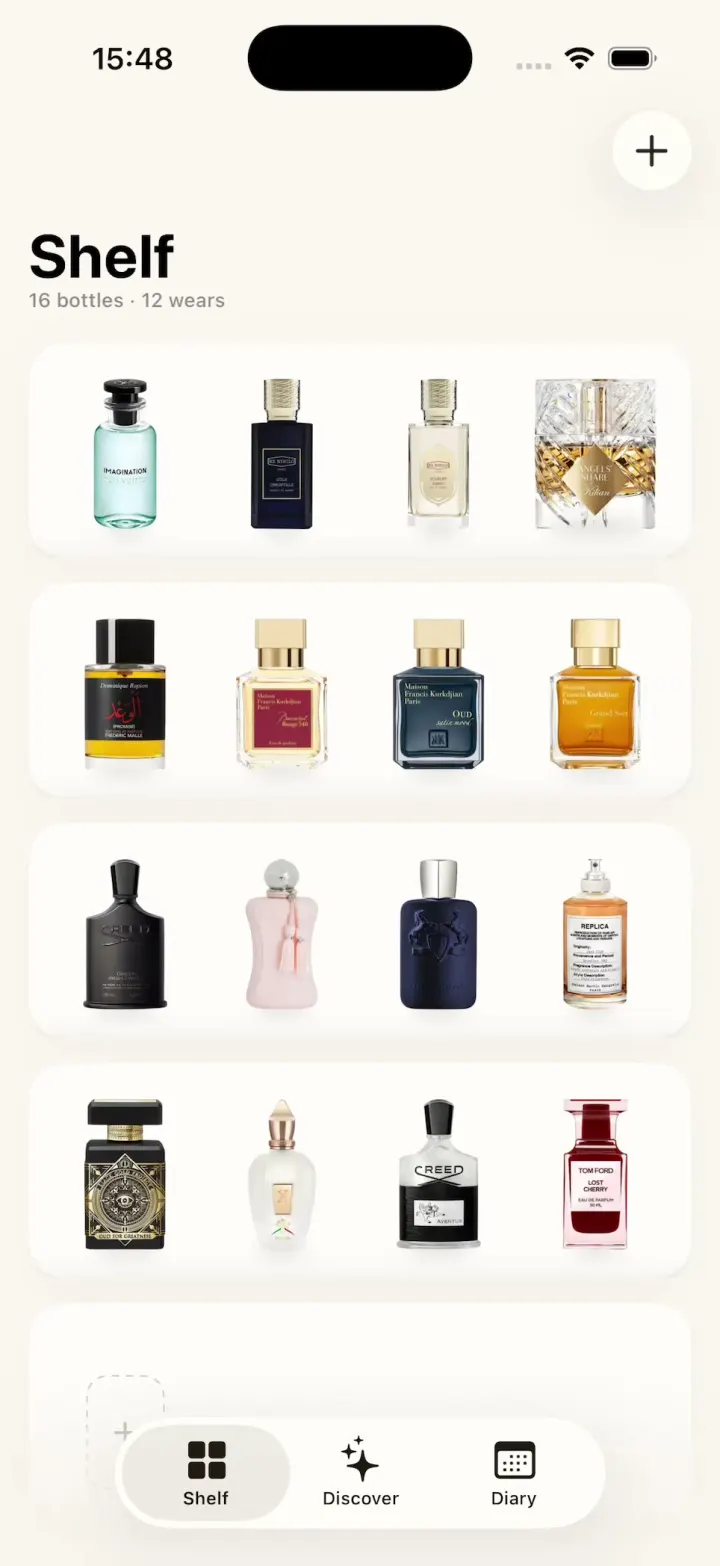
ScentScout
iOSA fragrance tracker with a cream bottle shelf, a bottle zoom transition, a cologne library and a wear diary.