Cat Collector
Lifestyle app · from our videos on X
Point the camera at a street cat and Cat Collector outlines it in glowing blue and turns it into a die-cut sticker card. Browse a feed of cat cards, find cats on a 3D city map and a world map, keep your collection in a sticker grid, and vote in the daily Top Cat game.
- iPhone · Swift
- Built in 2 prompts
- Free to remix

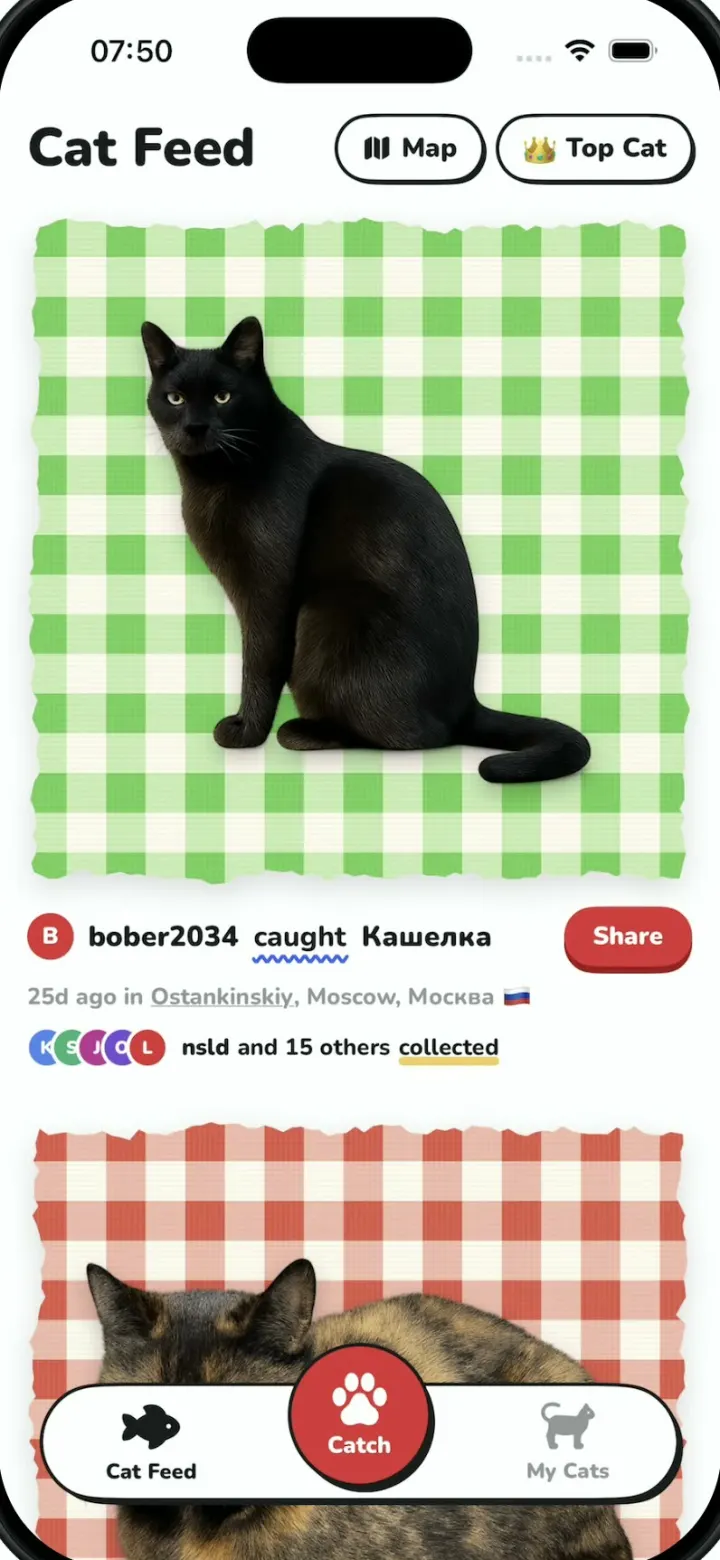
Remix copies the working app into your account for free, exactly as we built it. It runs in Vibecode's cloud iOS simulator, in your browser.
Watch the video on X@anshnanda · Oct 10, 2026The prompt that builds it
We built Cat Collector in 2 prompts. Here they are folded into one, so a single paste into a new app builds the finished version.
Prompt · 2,138 words
Download/reference the app shown in this post and clone it exactly, including the iPhone visual design, layout, interactions, animations, typography, spacing, and all visible states. Make it functional and runnable in the simulator. Match the reference as closely as possible and include any interaction shown in the source. Reference: https://x.com/DiloConGatitoz/status/2108604236137165063. The post is a 12-second video; inspect it carefully, extracting frames as necessary (note: the video is a zoomed crop of the middle of the phone screen, so status bar, headers and tab bar are cut off; fill those in from the descriptions below).

Build a native SwiftUI iOS app named Cat Collector using Opus 5.5. This is "Pokémon GO for real cats" demonstrated on an iPhone in portrait: you point the camera at a street cat, the app detects it with a glowing blue halo and "catches" it into a die-cut sticker card; a social feed of cat cards on gingham fabric; a Cat Map (3D city with cat pins, and a world map with country flag counts); a My Cats sticker grid; and a daily "Top Cat" voting game. Do NOT put a fake handset frame inside the actual app; the simulator provides that. Use realistic deterministic fixture data so every screen is rich and usable without permissions or backend. The simulator has no camera: the Catch viewfinder shows bundled street photos instead of a live feed (see below).

Observed video sequence (0-12s): 0-1.1s Catch viewfinder: a low street-level shot of a brown tabby cat sitting on asphalt beside the front bumper of a parked blue hatchback, sunlight on the cracked pavement in the foreground; four rounded yellow (#F5B82E) corner brackets frame the middle of the screen and the small yellow text "point at a cat" sits under them; the image drifts slightly like a handheld camera. 1.1-1.5s detection: the whole picture dims to about 30% brightness and the cat alone stays at full brightness inside a thick, soft neon blue (#3060FF) halo that hugs its silhouette and glows out from the fur, with a slight shimmer. 1.5-1.75s catch: the screen flashes to white, the cat becomes a frosted pale grey silhouette inside faint brackets, then shrinks and flies down and to the right into the bottom-right corner (the red catch-count box). 1.8-3.6s a second viewfinder scene, closer: a grey tabby sitting upright facing the camera next to the dark front wheel and bumper of a car, the framing pushes in; 3.6-4.2s the same dim + blue glow detection; 4.2-4.45s the white flash and the cat flies to the bottom-right. 4.5-5.7s Cat Feed scrolling: full-width square cards of gingham fabric with rough torn-paper edges, each with a cut-out cat photo on it; green gingham card with a black cat with glowing yellow-green eyes (caption row "bober2034 caught Кашелка", red "Share" button, "25d ago in Ostankinskiy, Moscow, Москва 🇷🇺", a row of 5 overlapping round avatars and "nsld and 15 others collected"); then a red/orange gingham card with a tortoiseshell cat lying in a loaf ("atmn caught 어터뮈", red "Collect" button, "54m ago in Bucheon-si, Gyeonggi-do 🇰🇷"); then a pale pink gingham card with zigzag pinking-shear edges and a grumpy black-and-white tuxedo cat standing facing the camera ("atmn caught 뿡뿡이", "Collect", "56m ago in Bucheon-si, Gyeonggi-do, 서…🇰🇷"). 5.7-6.9s Cat Map in 3D: a pitched (about 60°) Apple Maps view of Montréal's Plateau-Mont-Royal (Av du Mont-Royal E and Rue de Lanaudière visible) with white/grey extruded buildings, a few pale yellow buildings, then a tree-lined street with green 3D trees; one round cat pin (white circle with a thick blue ring, the tuxedo cat cut-out inside, a small pointer at the bottom) sits on a building; the camera slowly glides and rotates. 6.9-7.8s top-down 2D map of the neighbourhood zoomed out: several pins pop in (blue-ring "caught" pins and black-ring "new to you" pins with different cat cut-outs), a blue dot labelled "Your location", the selected pin shows a blue capsule callout "Saint-Louis" with a small white navigation-arrow icon on the right. 7.8-8.9s world map: flat Apple Maps world view with a bright blue ocean and pale land, labels "North Atlantic Ocean", "SOUTH AMERICA", "AFRICA", "ASIA", "AUSTRALIA"; small white rounded pills each with a country flag and a count are spread over the countries; the camera pans from the Americas across Europe/Africa to Asia/Australia. 8.9-9.7s My Cats grid scrolling fast: 3 columns of cut-out cats on white, each with a black rectangular name tag underneath in white handwritten script. 9.7-10.6s Top Cat voting: two stacked cards, "Daisy" (calico cat on a pink gingham card with scalloped edges, "Serpong 🇮🇩", "9% of votes so far", red Collect button) and below it the bigger green gingham card with a white pill "Your pick" top-left, the black cat, big white name "Кашелка", "Ostankinskiy 🇷🇺", "91% of votes so far", red Collect button; under them "ROUND 2 OF 5", five dots (first pink filled, second yellow filled with a dark ring = current, three empty grey rings), underlined "How to play", and a big red circle button bottom-right with "3" and "NEXT" that counts down 3, 2, 1. 10.6-11.1s result screen fades in, with everything centre-aligned: the green Кашелка card at the top, huge bold "Кашелка", grey "Beat 5 challengers on your ballot · Ostankinskiy 🇷🇺", bold "Top Cat announced in 9 hours" with "9 hours" in red, small spaced caps "PRIZES", "+1 💎 for playing", "+1 💎 if Кашелка takes the crown", and a soft cream rounded box with the centred text "You're all set. Results tomorrow — we'll ping you.". 11.1-12.2s back on the 3D map: a tree-lined street with three blue-ring cat pins in a diagonal row, the camera gliding along the street.

Visual details: app background white #FFFFFF; text near-black #1A1A1A; primary red #E8352C buttons are capsules with white bold text and a darker red #A01C17 hard drop shadow offset 0,4 (a slight "sticker" look); a thin black 2pt outline on outlined controls. UI font: a rounded heavy sans that supports Cyrillic (bundle Nunito ExtraBold/Black from Google Fonts); name tags use a handwritten script (bundle Kalam or Caveat). Feed caption row: a small red circle avatar with a white letter, "bober2034" bold, "caught" with a wavy blue underline, the cat's name bold; the second line grey with the place name underlined; "collected" with a yellow underline. Gingham cards: draw the gingham fabric in SwiftUI (Canvas) in three colourways: green #5DBB4A/#BFE3A8 on cream, red-orange #E8553A/#F6B49E on cream, pale pink #F2B8B8/#FBE3E3; edges are either rough torn paper or zigzag pinking-shear; cards fill the width with 16pt side margins and a soft shadow. Map overlay (all map modes): bottom-left legend box (white, rounded 14pt, 2pt black border, hard black shadow offset 3,3) with three rows "Caught" (blue dot), "Collected" (yellow dot), "New to you" (black dot); right side, stacked bottom-up: an "i" info button (white circle, 2pt black border, hard shadow), a navigation arrow icon, a globe icon. Map header: a white circle back button with "←" and the title "Map", and the chips "Caught" / "Collected" on the right (from the App Store screenshots). Flag pills: white capsule, emoji flag + bold count, soft shadow. Use these counts: 🇨🇦 238, 🇺🇸 138, 🇵🇦 1, 🇨🇴 10, 🇵🇾 4, 🇦🇷 6, 🇨🇱 8, 🇬🇧 64, 🇧🇪 12, 🇩🇪 31, 🇫🇷 77, 🇵🇹 3, 🇲🇦 3, 🇪🇸 19, 🇮🇹 42, 🇭🇺 18, 🇺🇦 55, 🇷🇸 9, 🇹🇷 286, 🇬🇷 25, 🇨🇾 8, 🇲🇹 1, 🇪🇬 4, 🇬🇪 2, 🇺🇿 11, 🇰🇿 3, 🇸🇦 21, 🇦🇪 3, 🇮🇳 3, 🇲🇳 7, 🇷🇺 412, 🇰🇷 96, 🇯🇵 58, 🇨🇳 53, 🇹🇼 30, 🇭🇰 28, 🇹🇭 106, 🇻🇳 71, 🇵🇭 48, 🇸🇬 9, 🇮🇩 241, 🇦🇺 28, 🇳🇿 5.

Screens and navigation: a floating bottom tab bar (white capsule, black 2pt outline, hard shadow) with "Cat Feed" (left, fish icon), a big red circular "Catch" button in the middle that sticks up (camera/paw icon), and "My Cats" (right, cat icon). Cat Feed: header "Cat Feed" with two outlined pill buttons on the right: "Map" and "👑 Top Cat". My Cats: header "My Cats", "84 cats", filter chips "All" (selected, black), "Caught", "Collected", then the grid with these names in order: sleepy, Unknown, Tak, Pinky, Meaney, unknown speedy, unknown black, unknown, Unknown Tabby, Moka, Luciole, Gustave, Albert, Lapis, Unknown Calico, Sushi, calico, Lois, Mittens, Smokey, Digi Cat, Bob, Maggie, Cookie (24 stickers, reuse cut-outs if needed). Catch: full-screen viewfinder (dark), close "×" top-left, flash icon top-right, the brackets and "point at a cat" in the middle, at the bottom a flip-camera icon left, a big red shutter circle in the middle, and a small dark red rounded square with the catch count right (the cat flies into it and the count goes up by 1).

Interactions: Catch: the viewfinder shows bundled street photo scene 1 with a slow handheld drift (gentle scale 1.0-1.06 and small x/y wander). Tapping the shutter (or anywhere on the photo) runs the catch. First the detection glow, held 0.45s: the whole scene dims to about 30% brightness while the cat cut-out stays at full brightness, wrapped in a thick, soft neon halo rather than a thin outline: a wide glowing blue (#3060FF) aura made by stacking 3 blue shadows with radii about 6, 16 and 30pt at high opacity so the glow spreads 20-30pt out from the fur, plus a brighter thin blue-white rim right at the edge and a gentle shimmer/pulse (the scene is composed from a street background image plus a separate transparent cat cut-out layer placed on it, so the glow follows the real cat silhouette). Then the white flash with the frosted pale grey cat inside faint brackets, which shrinks and flies down and to the right into the red count box with a spring; the white phase lasts at most 0.5s in total, then the viewfinder fades straight back in on the NEXT scene (scene 1 -> scene 2 -> scene 1 ...). The flip-camera button also switches scenes. Cat Feed: vertical scroll of 8 cards (the three above first, then more from other cities); "Collect" turns into a yellow "Collected ✓". Map: opens in the 3D street mode (pitch 60, close zoom over Av du Mont-Royal E / Rue de Lanaudière, the tuxedo pin) with a slow continuous glide (heading rotating about 10° over 4s); tapping the globe button animates (MapKit camera animation, about 1.2s) to the next mode in a cycle: 3D street -> 2D neighbourhood (top-down, zoomed out, pins pop in with a spring stagger, "Saint-Louis" callout shown on the selected pin, "Your location" dot) -> world (flat world map with the flag pills; then slowly pans east from the Americas to Australia over about 3s) -> back to 3D street. The navigation-arrow button flies to a second 3D spot: a tree-lined residential street in the Plateau with three blue pins in a diagonal row, gliding along the street. Use MapKit for SwiftUI with .standard(elevation: .realistic, emphasisStyle: .muted, pointsOfInterest: .excludingAll) so buildings and trees render in 3D, and .flat elevation for the world mode. Top Cat: round screen as described; tapping a card selects it ("Your pick" badge moves to it with a spring); the NEXT button counts down 3, 2, 1 once per second and then shows the result screen (fade in from white); tapping anywhere on the result screen goes back to Round 2. Use native spring animations and gestures, not static screenshots.

Images: image generation works here through the proxied OPENAI_API_KEY in the project's environment (run env to see it): call https://api.openai.com/v1/images/generations with model gpt-image-1. Make photorealistic cat cut-outs with background transparent (real street-cat photos with the background removed, natural light, no outline, no drop shadow), one per cat: Кашелка (black cat sitting in profile, glowing yellow-green eyes), 어터뮈 (tortoiseshell cat lying in a loaf), 뿡뿡이 (grumpy black-and-white tuxedo cat standing, facing camera), Daisy (calico cat walking, seen from above at an angle), a brown tabby sitting in profile looking up-right (scene 1), a grey tabby sitting upright facing the camera (scene 2), and about 14 more varied cats for the grid (white, siamese lying down, ginger lying on its side, black-and-white curled up, grey-and-white walking with tail up, black cat walking away, calico sitting, fat grey tabby looking up, etc.). Plus two street background photos with no cat, portrait 1024x1536: scene 1 "low street-level photo of a parked blue hatchback's front bumper and headlight, sunny cracked asphalt and kerb in the foreground, shadows", scene 2 "close low photo of the front wheel and dark bumper of a parked car on asphalt in shade". Generate in parallel with a small script, save into the app's asset catalog.

Build fully, run compile/build validation, resolve all errors, and launch in the web simulator; verify the catch animation and the Top Cat result screen there. Prioritize fidelity to the reference video and the functional main interaction flow. Deliver complete implementation rather than a plan.
More templates
All templates- View template
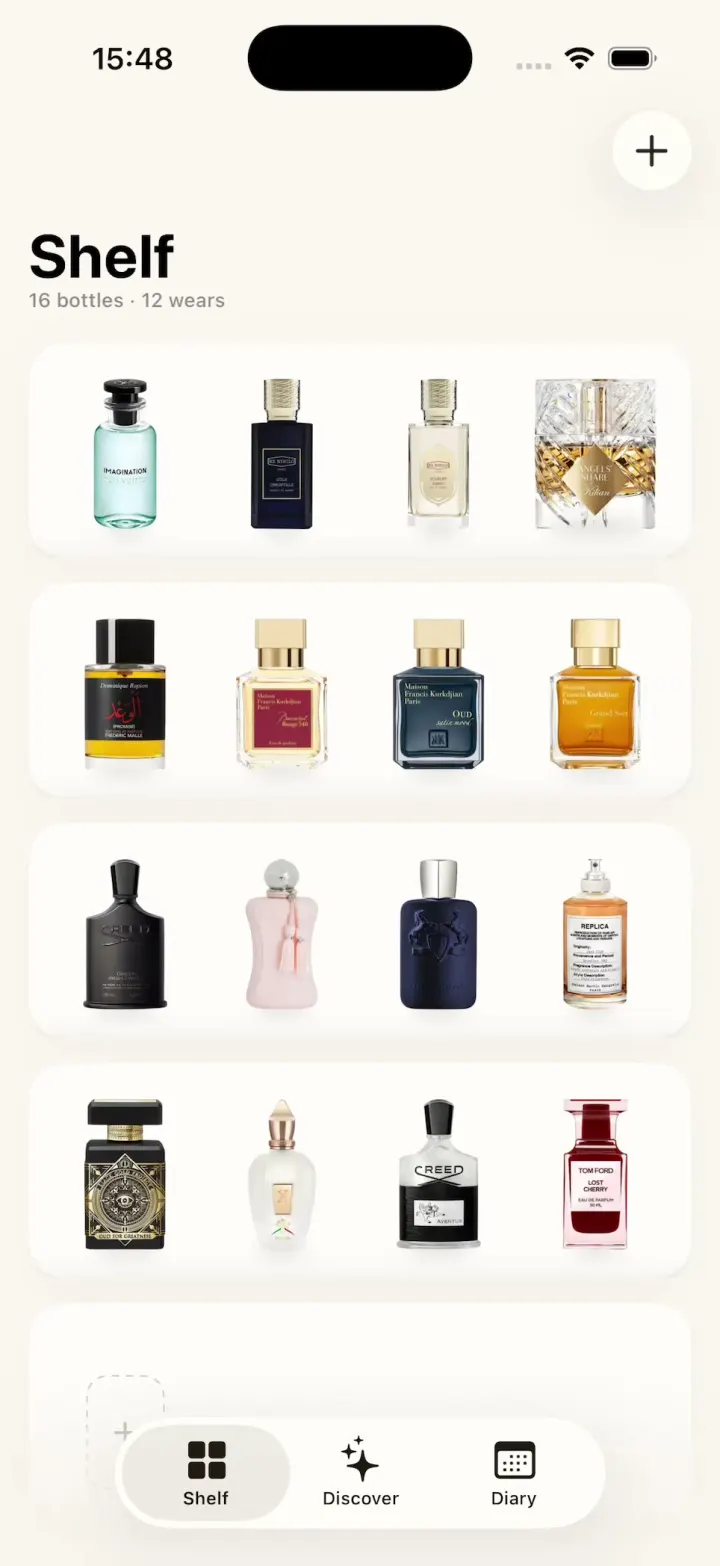
ScentScout
iOSA fragrance tracker with a cream bottle shelf, a bottle zoom transition, a cologne library and a wear diary.
- View template
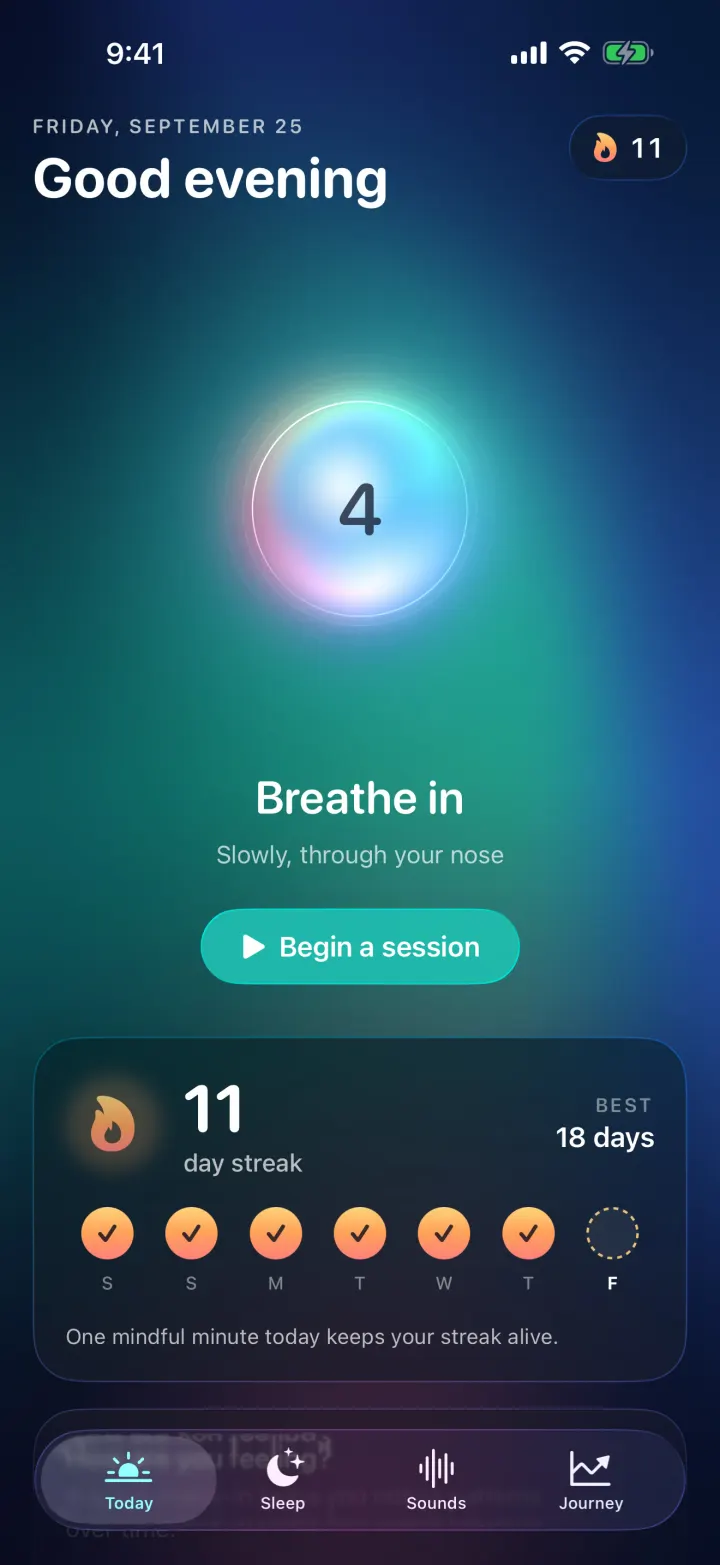
Breathe
iOSA meditation app with a glowing breathing orb, an aurora sky, mood check-ins, sleep stories and soundscapes.
- View template
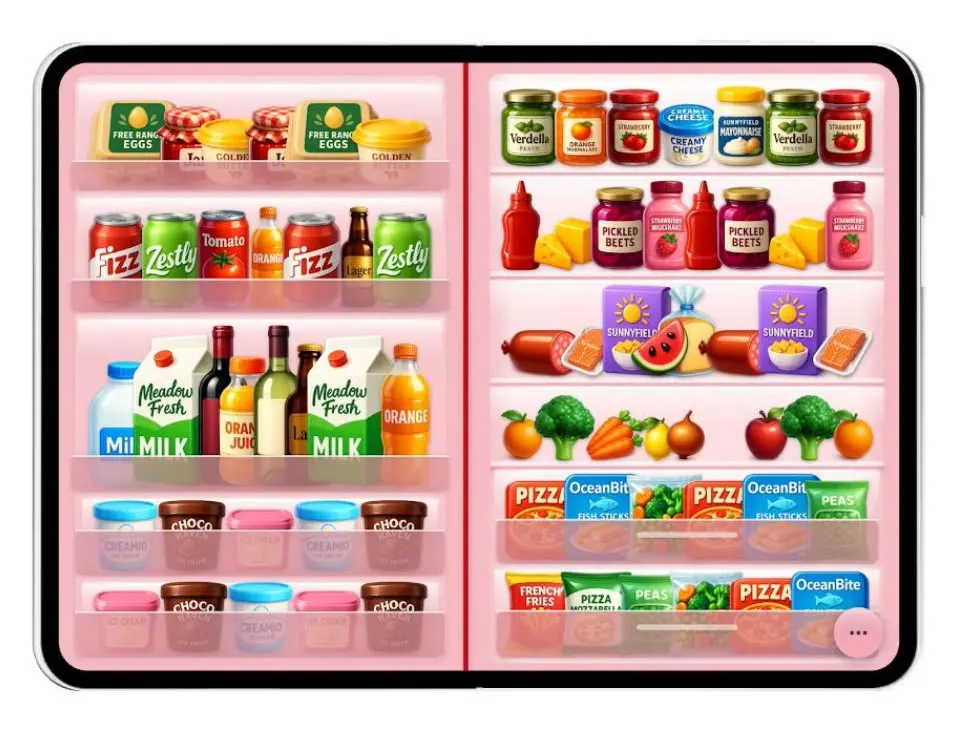
Duo Fridge
iOSTurns the iPhone Duo into a fridge: folded it is the door with magnets, unfolded it is the stocked shelves.
- View template
Grok Bark
iOSGrok Bot's look, but the AI agents run your dog's life: squirrel watch, treats, mailman defense and zoomies.